
StyleBars — the app icon with a graffiti letter S and the wordmark over a dark brick wall with a spray-painted tag, with the App Store download badge

Industry
iOS, Creative Tools
Role
Designer & Developer
Year
2026

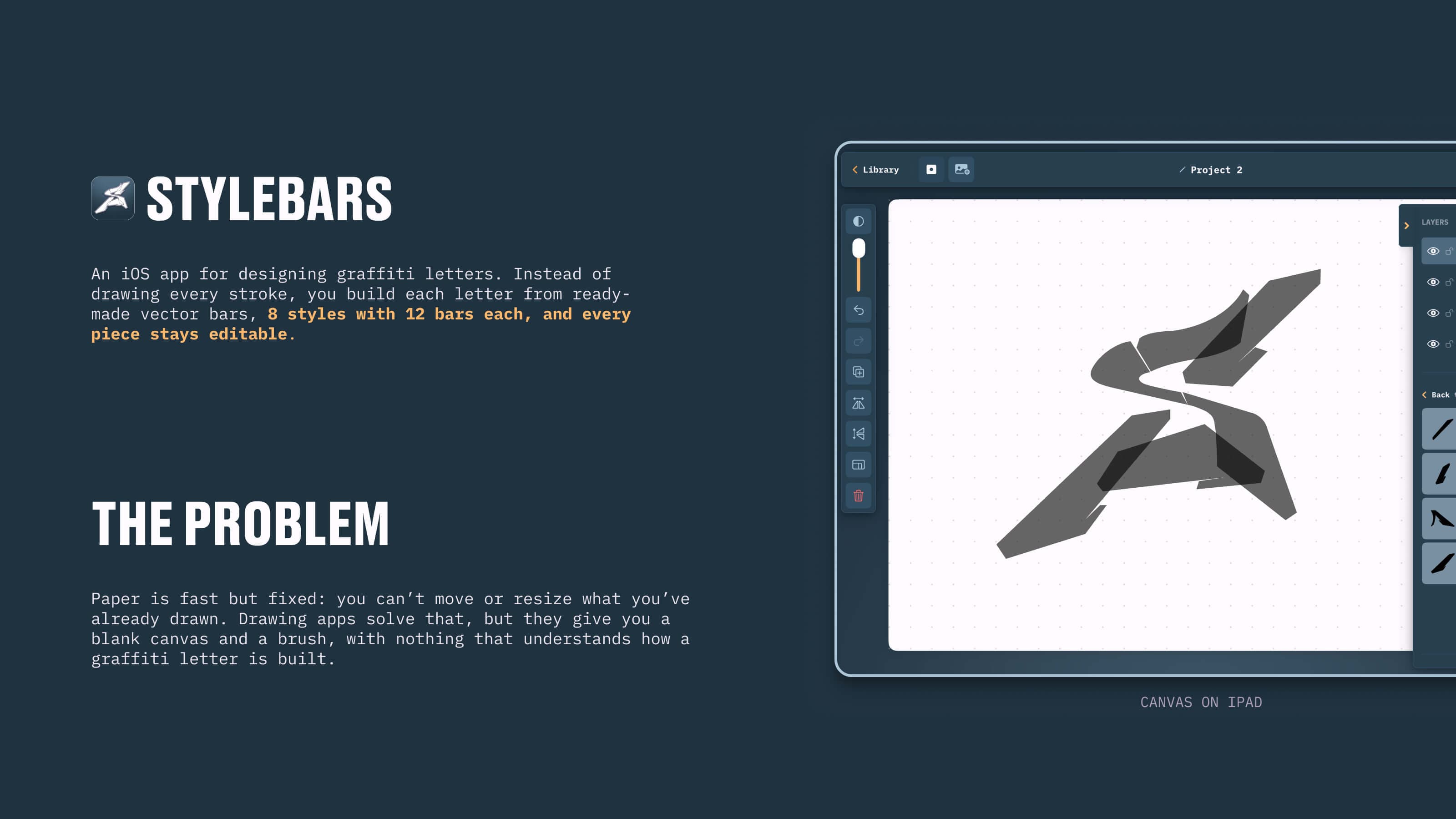
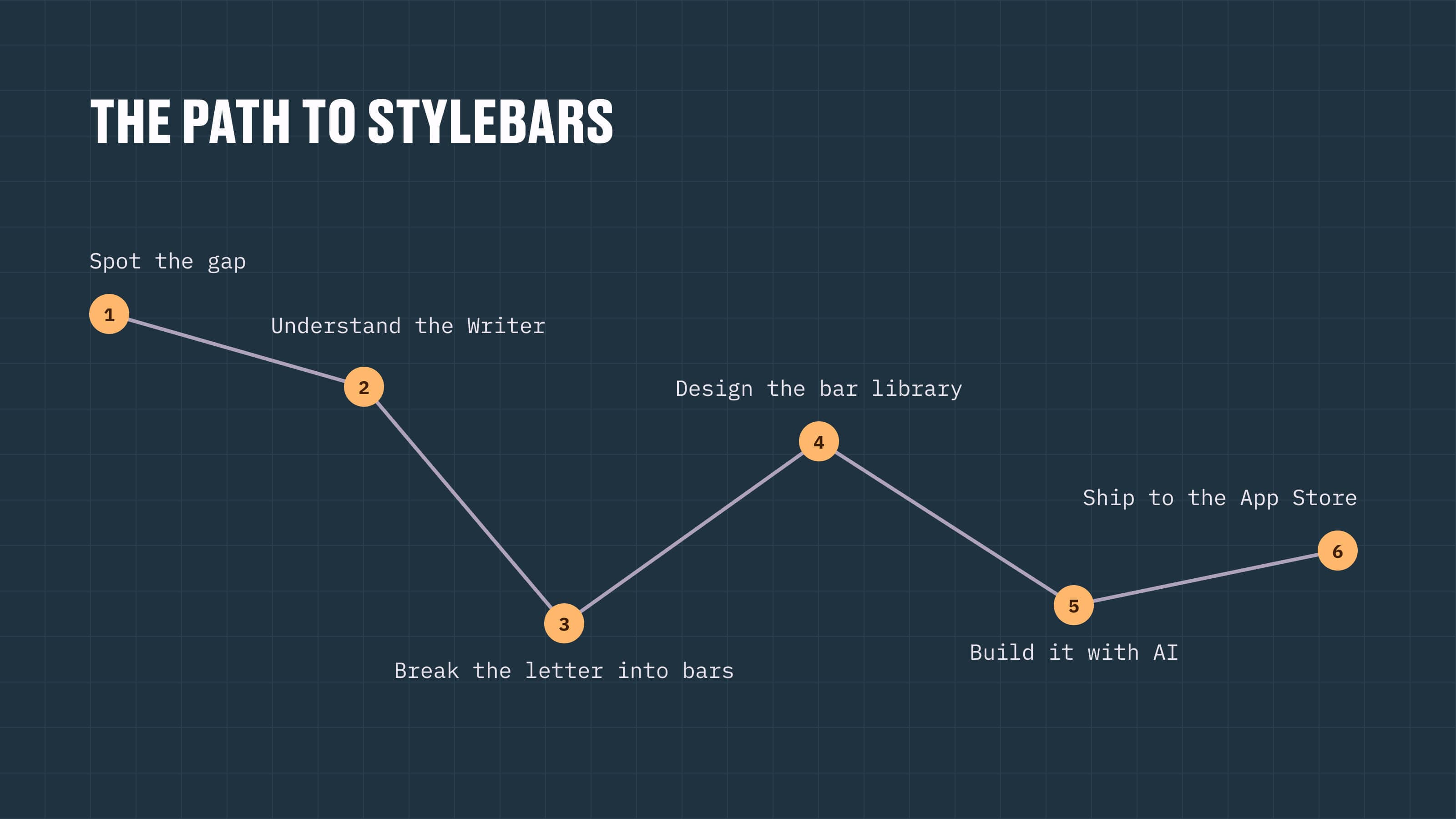
StyleBars is my own product: an iOS app for designing graffiti letters where, instead of drawing every stroke, you compose each letter from ready-made vector bars that stay editable. Nothing on the App Store understood how a graffiti letter is built, so I designed the product, drew all 96 bars myself and turned the design into a SwiftUI app with Claude Code. It shipped in June 2026, and it shows how I work today: design to code, end to end.

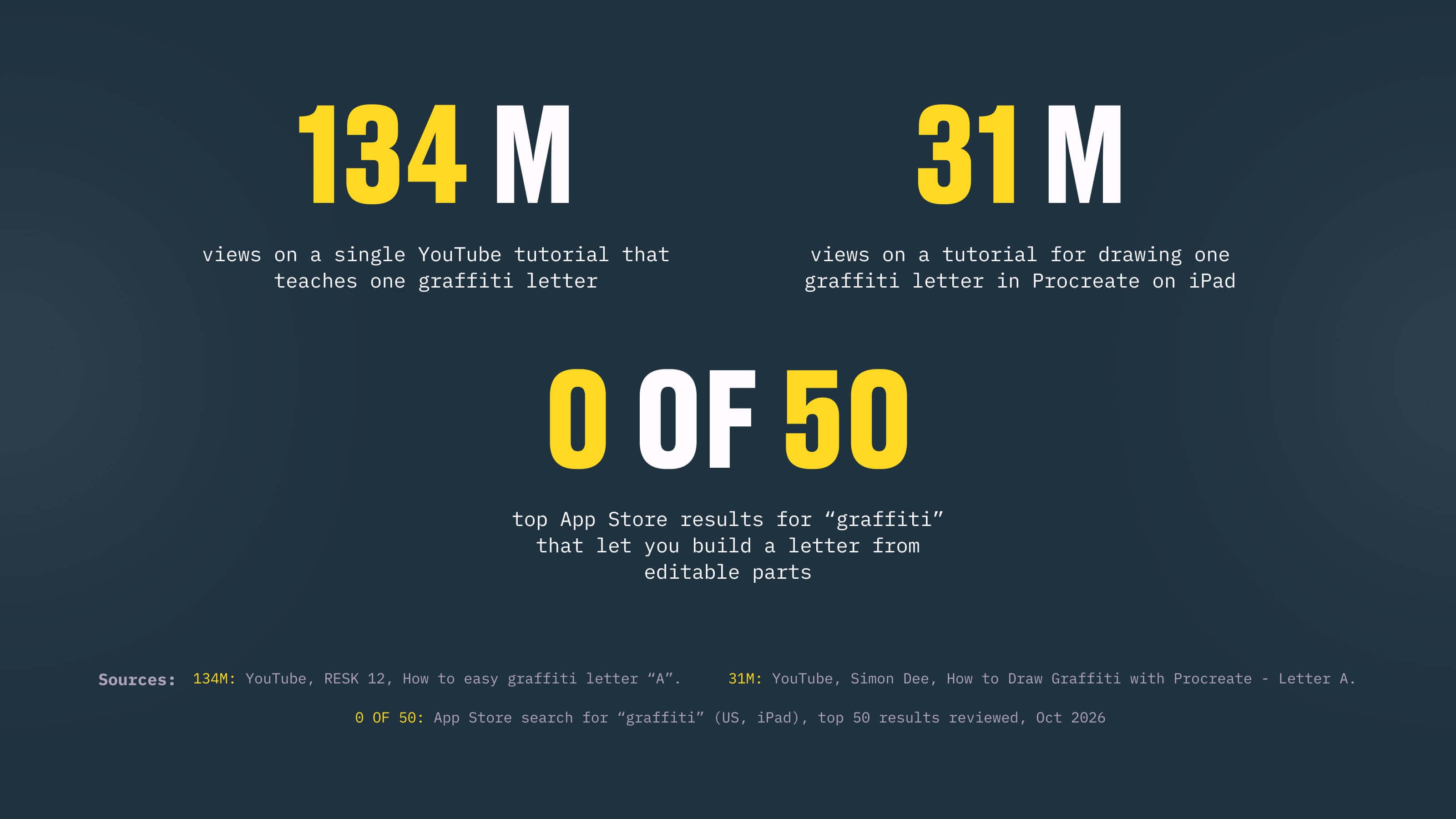
  1. A single YouTube tutorial that teaches one graffiti letter has 134 million views, yet none of the top App Store results for graffiti builds a letter from editable parts.

    The pain

    Paper is fast but fixed: you can't move or resize what you've already drawn. Drawing apps solve that, but they hand you a blank canvas and a brush, with nothing that understands how a graffiti letter is built.

    The research

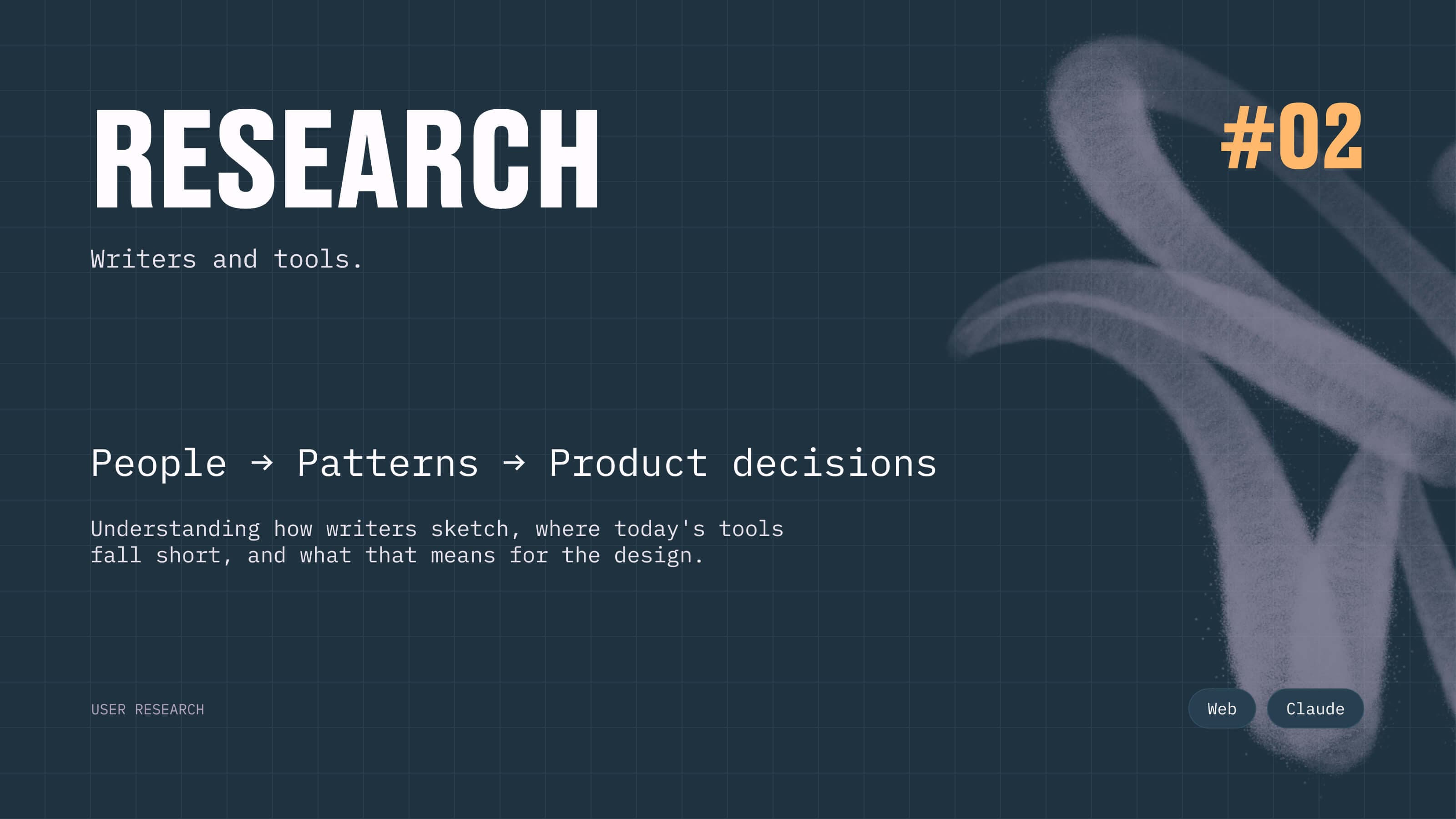
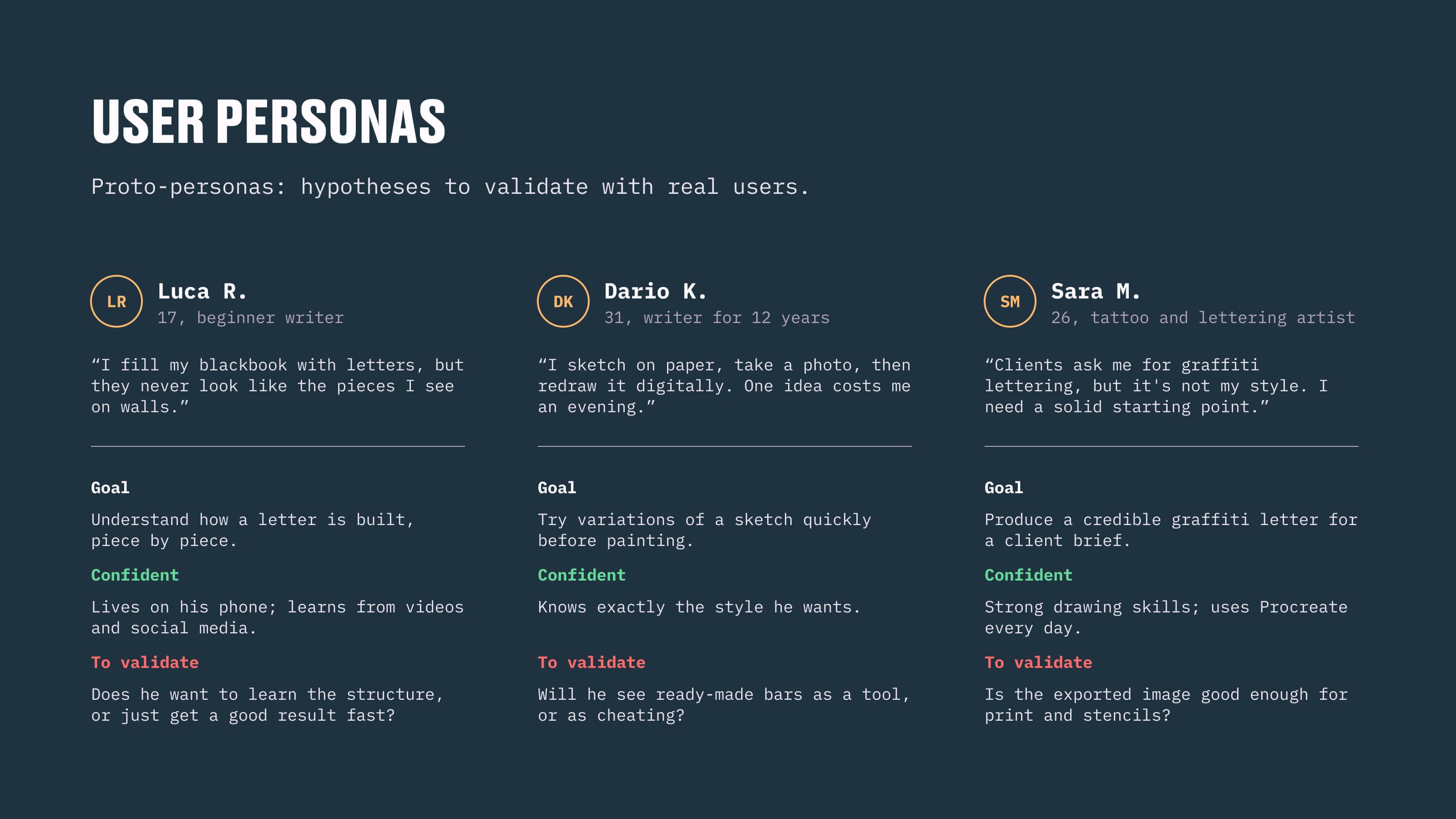
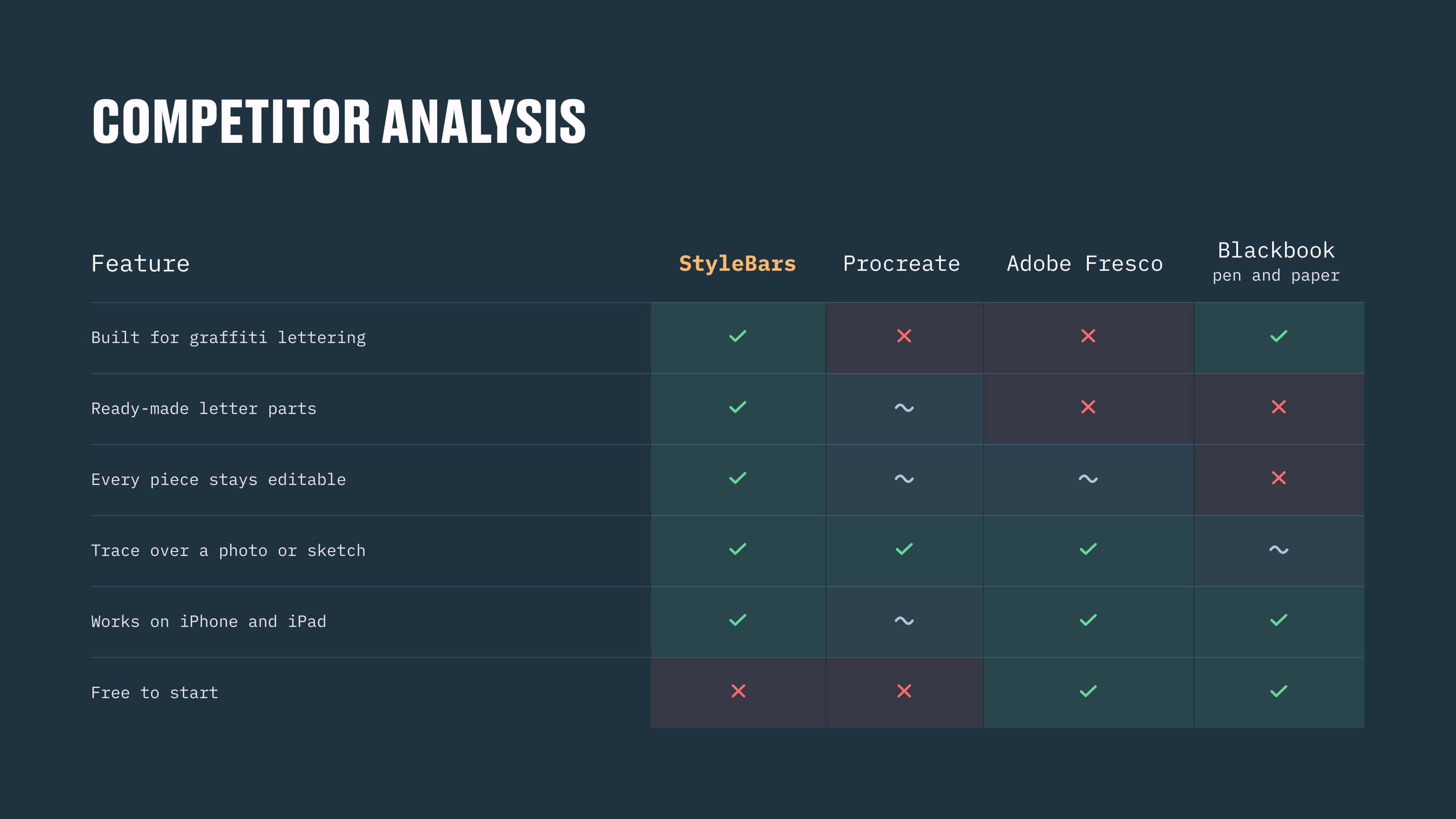
    I reviewed the top fifty App Store results for graffiti, compared the closest tools, from Procreate to the paper blackbook, and sketched three proto-personas: the beginner who learns on YouTube, the writer who sketches on paper, the tattoo artist who needs a credible starting point.

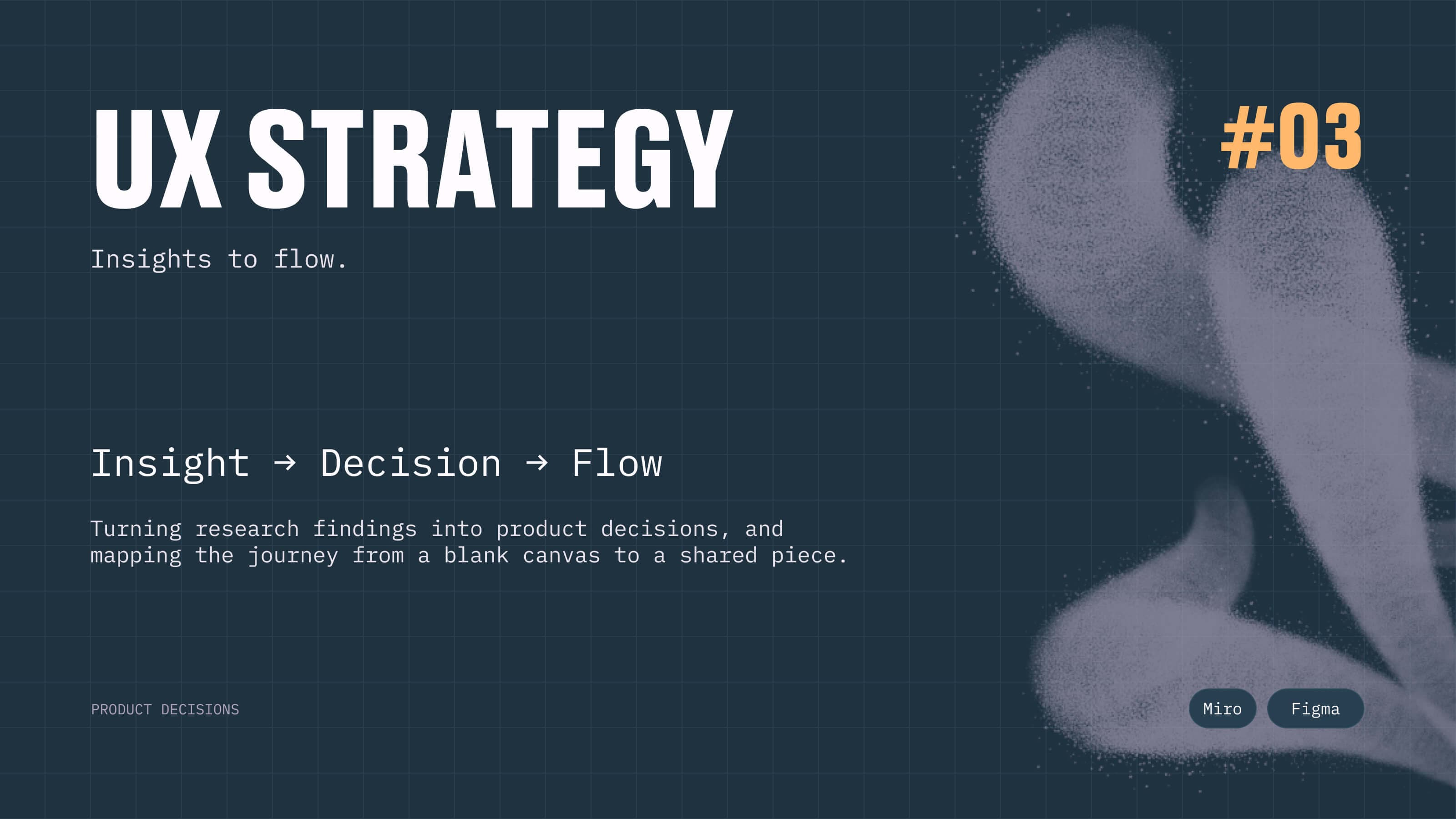
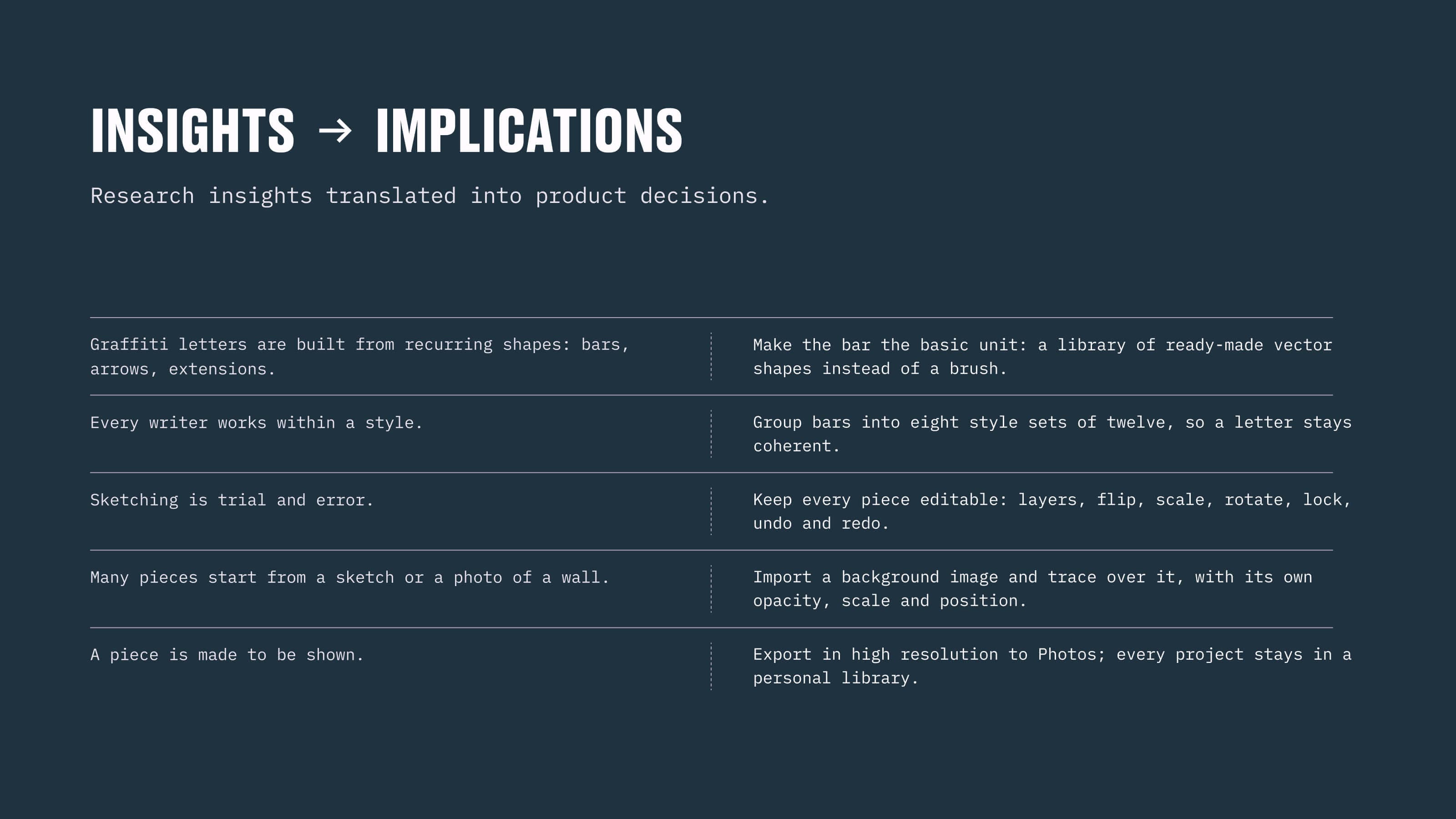
  2. Each research insight became a product decision, and the letter became a stack of editable parts.

    The core idea

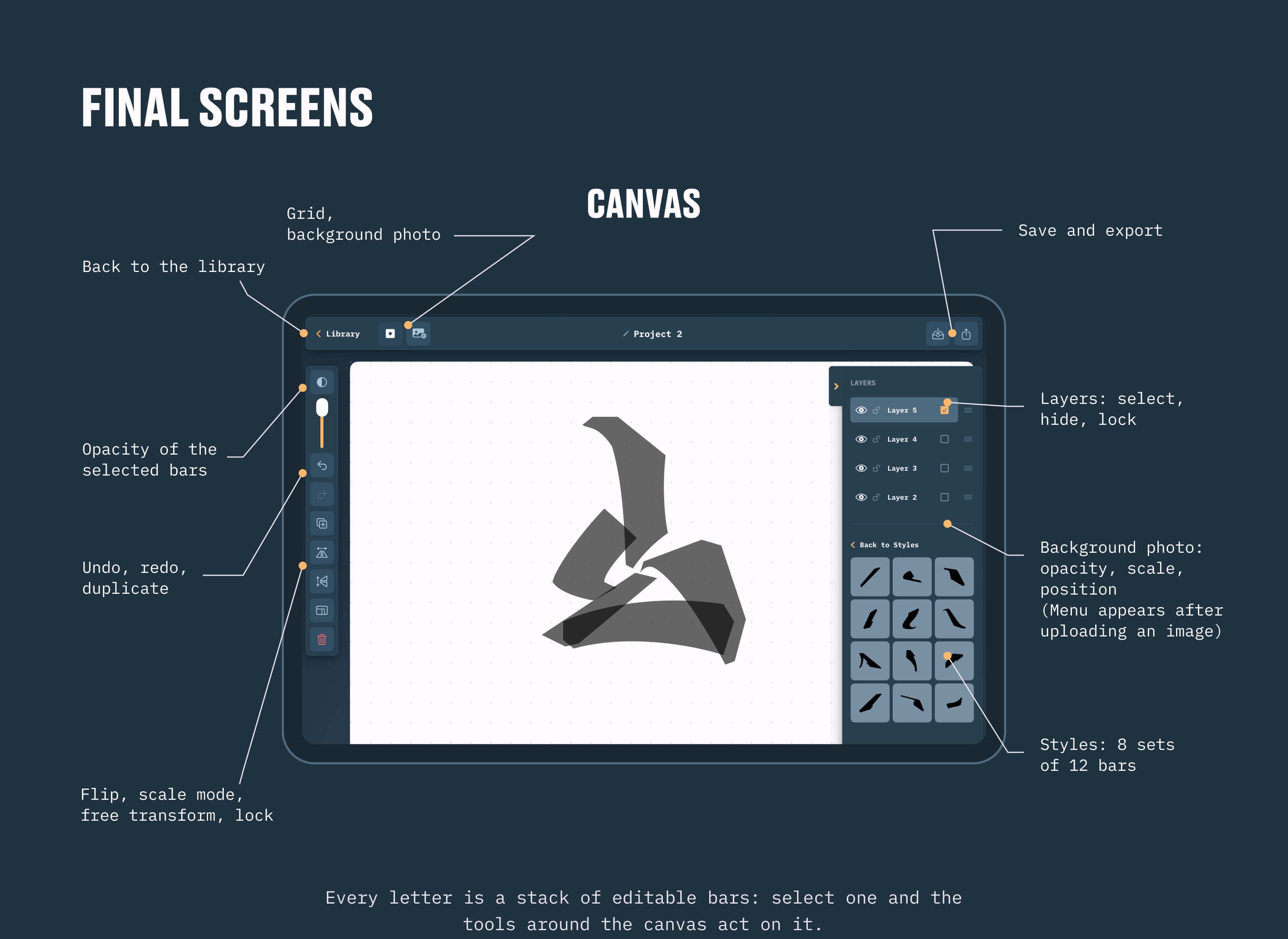
    Graffiti letters are built from recurring shapes, so I made the bar the basic unit: a library of 96 vector bars in eight styles, which I drew myself. A letter stays coherent because its parts come from the same set, and every piece stays editable: layers, flip, scale, rotate, lock.

    The canvas

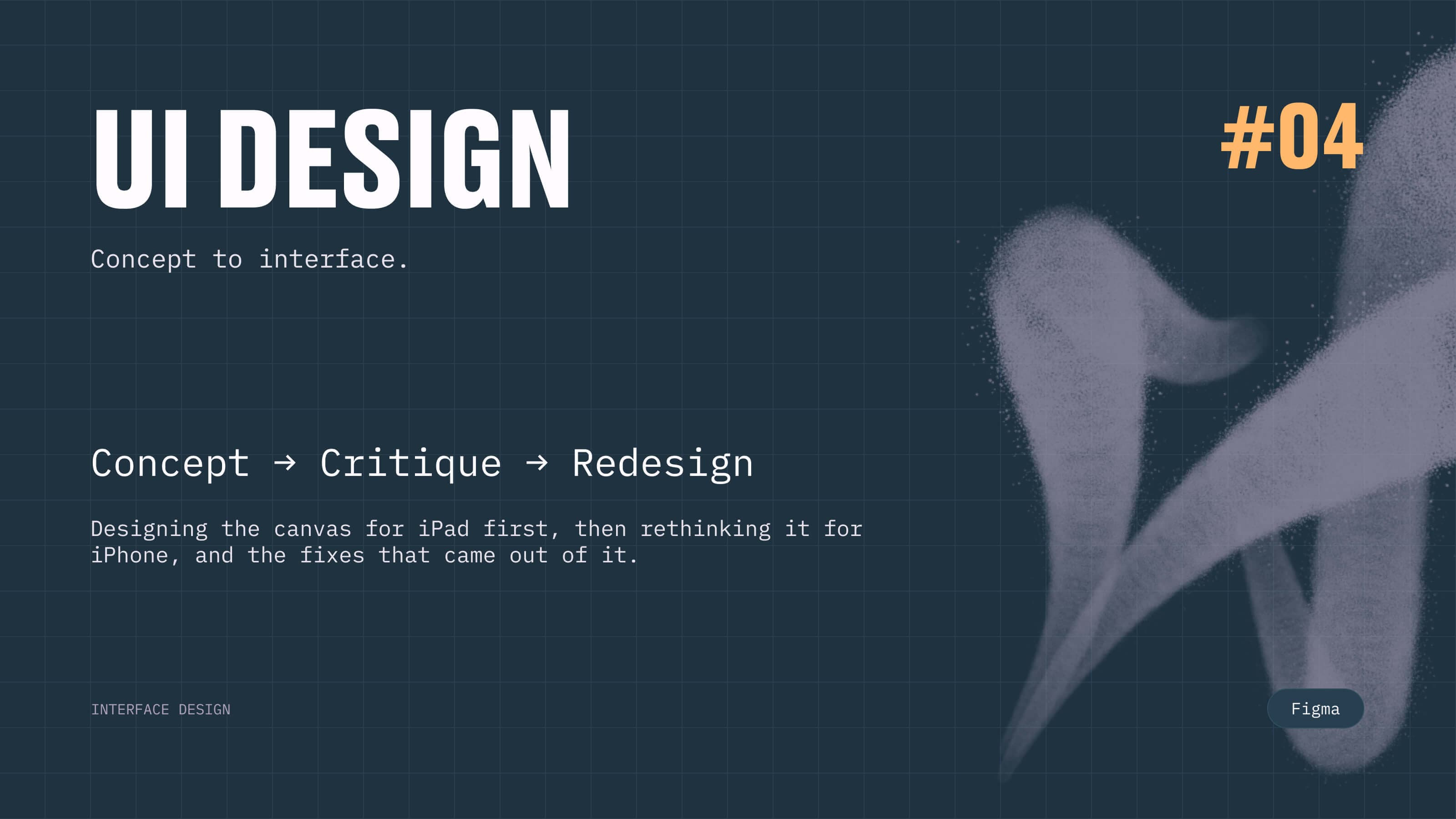
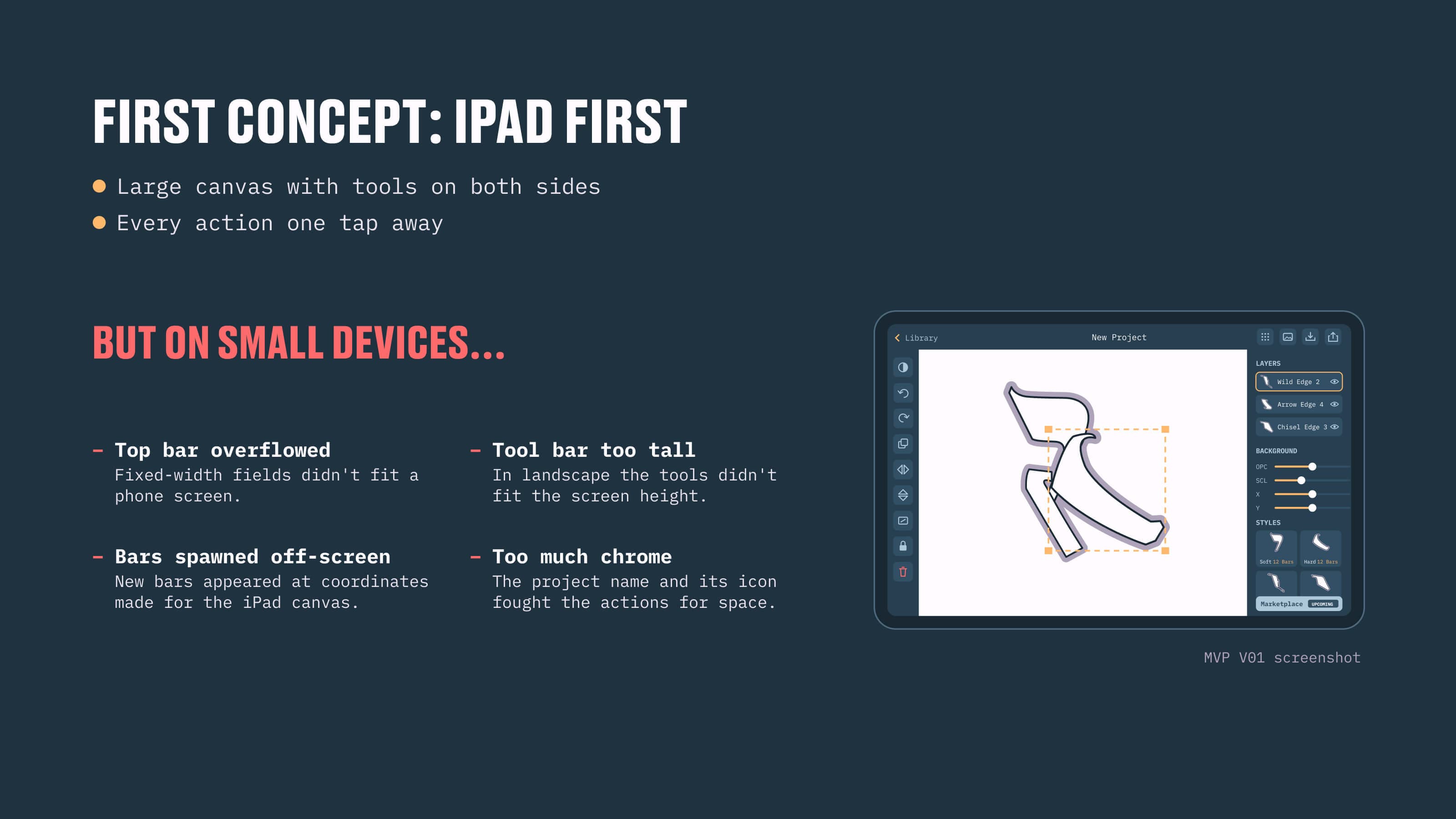
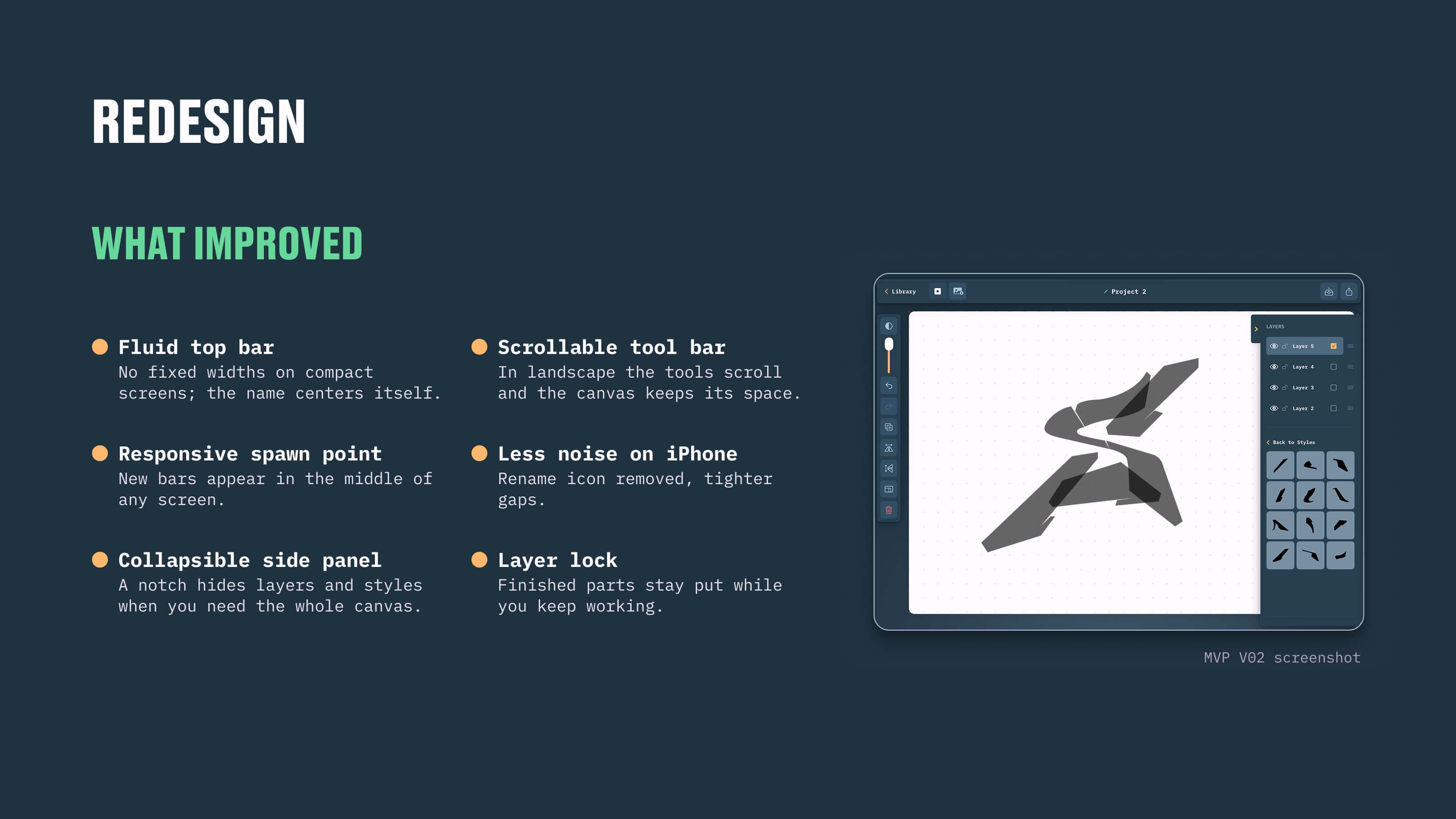
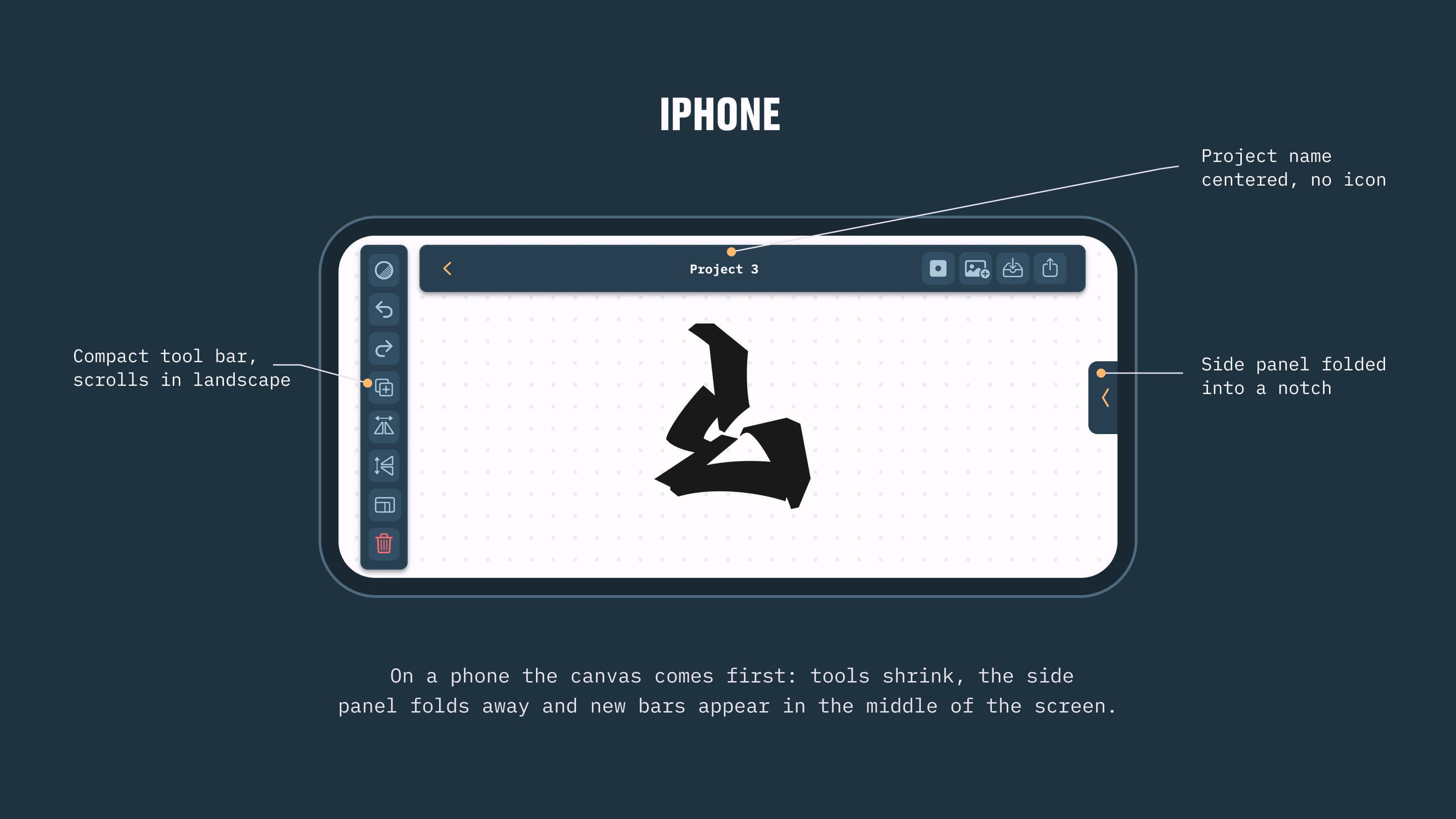
    I designed the canvas for iPad first, with every action one tap away. Testing the concept on small screens exposed concrete problems, so the redesign brought a fluid top bar, a collapsible side panel and bars that spawn at the center of any screen.

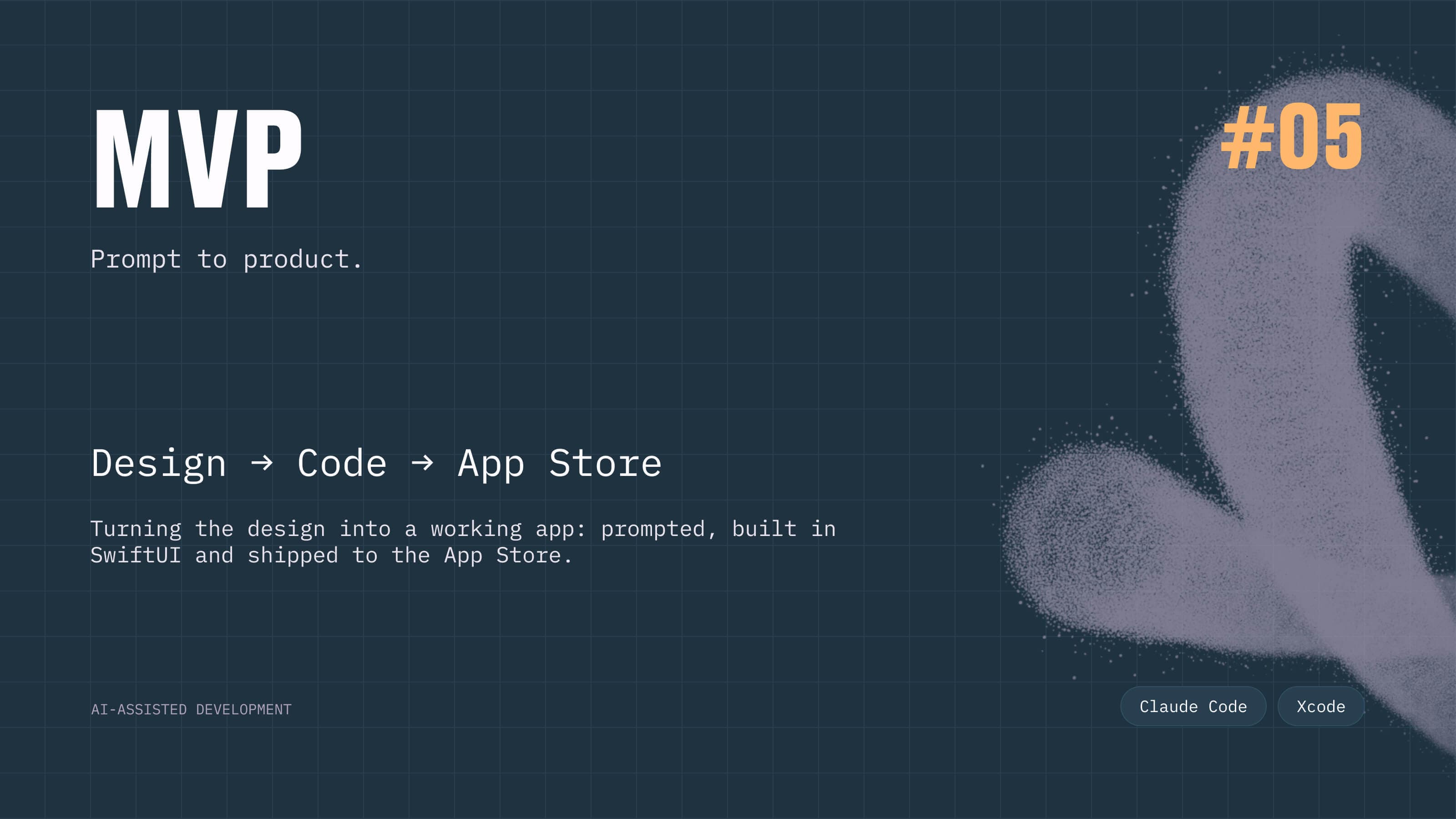
  3. I turned my design system and Figma frames into prompts, and Claude Code turned them into SwiftUI.

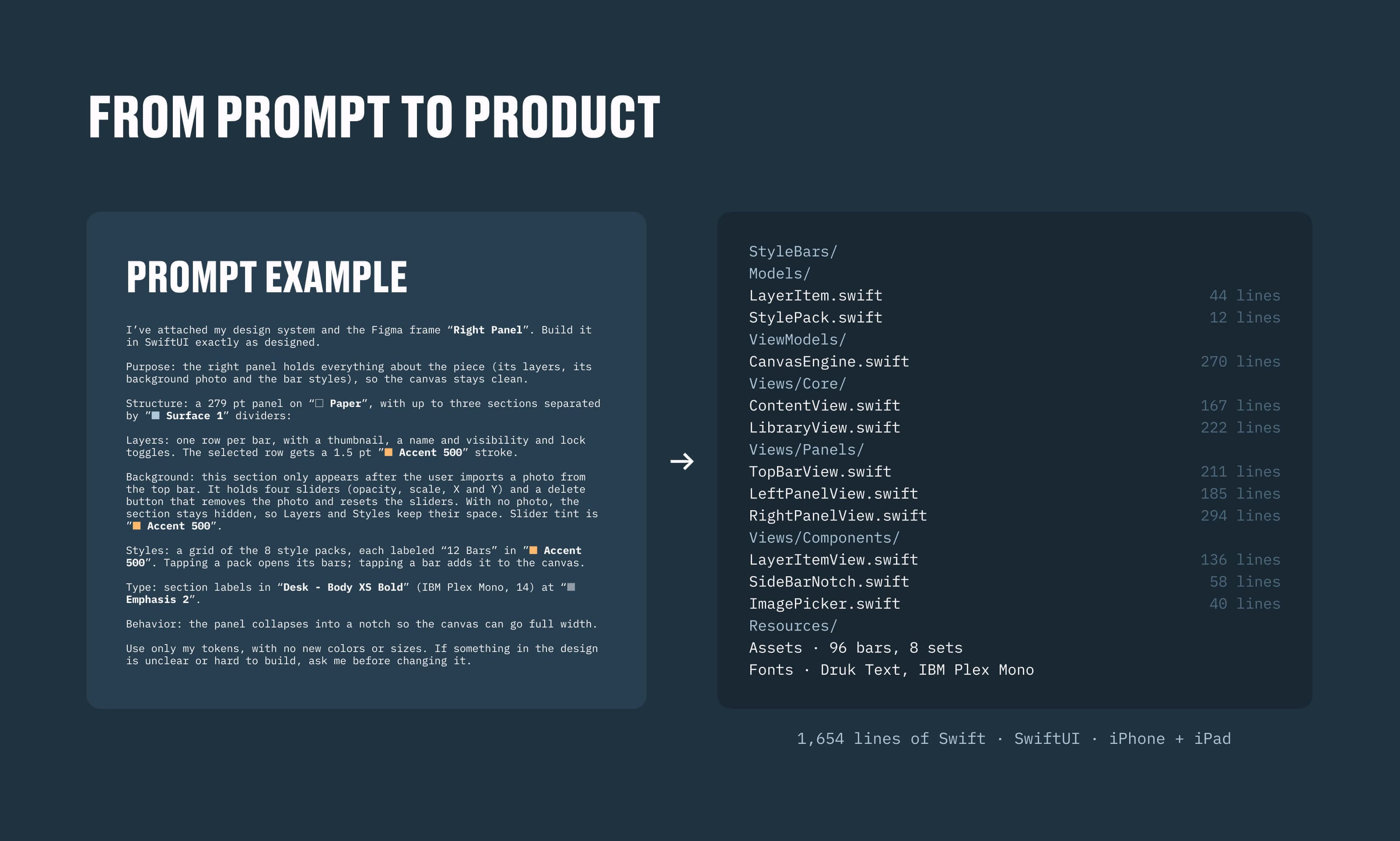
    From prompt to product

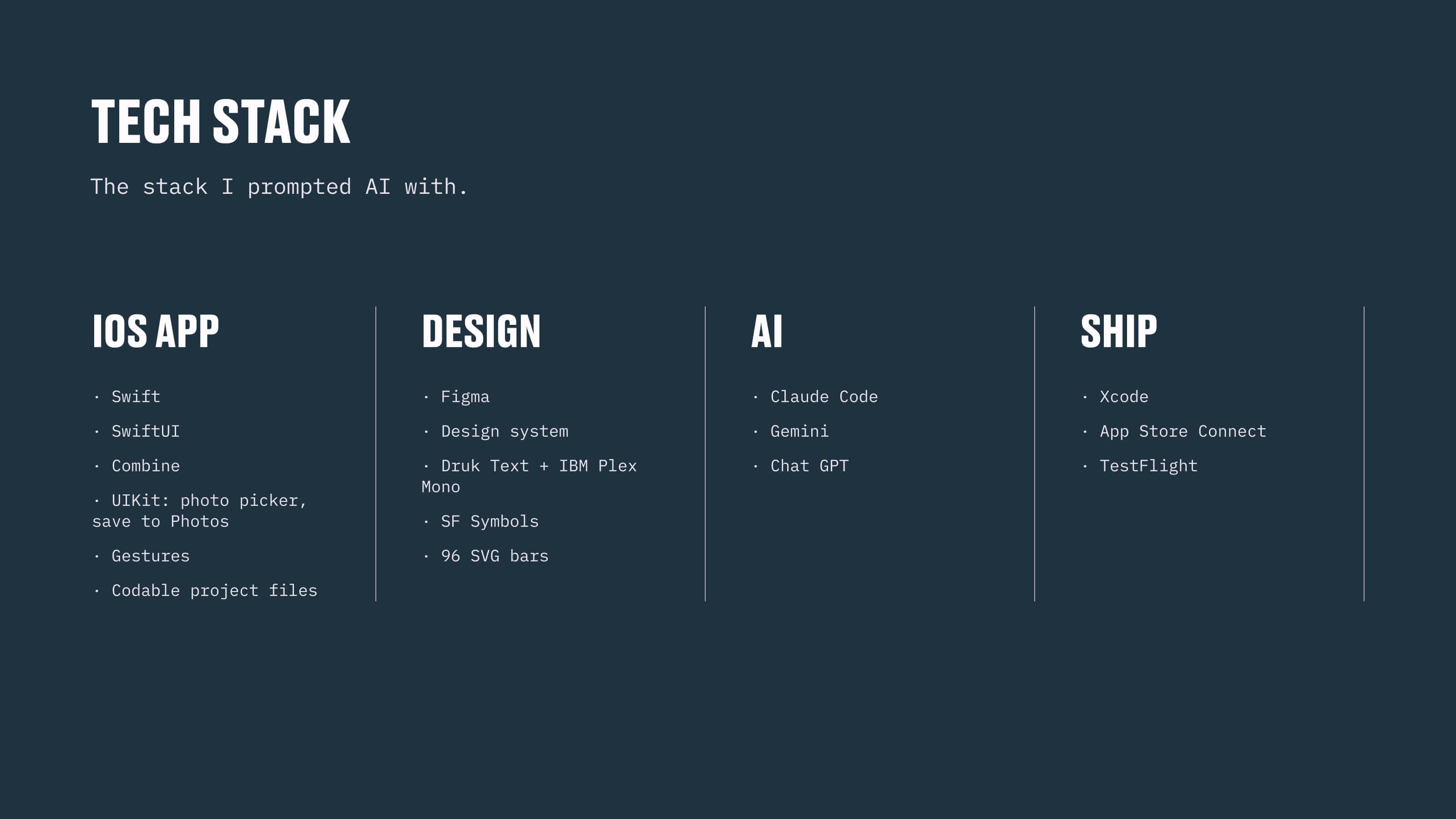
    Each prompt described a component the way I would brief a developer: structure, tokens, type styles and behavior, with one rule, use only my tokens and ask before changing anything unclear. The whole app came out at 1,654 lines of Swift.

    The honest split

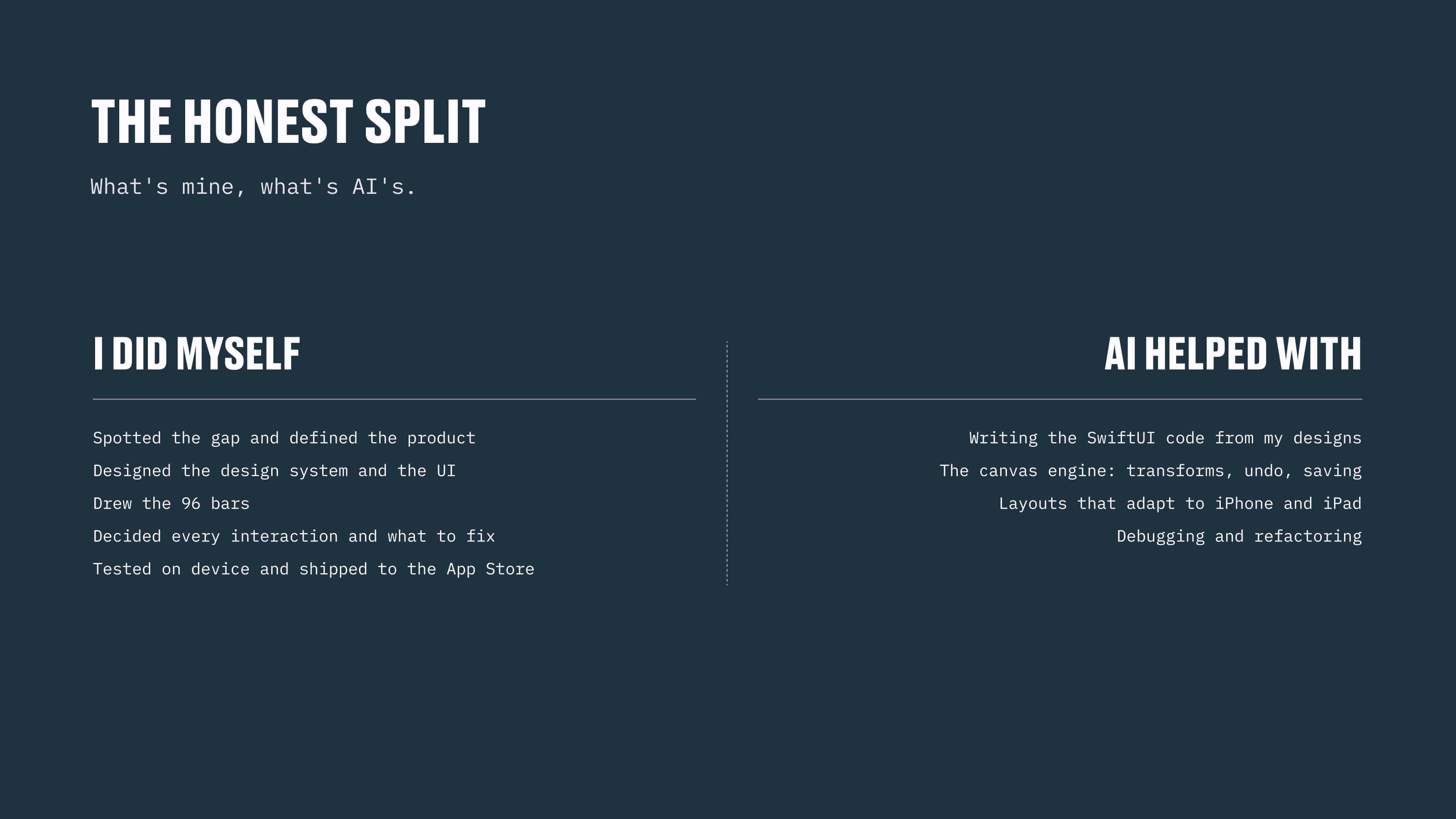
    AI wrote much of the code; the decisions stayed mine. I defined the product, designed the system and the UI, drew the bars and decided every interaction. AI helped with the SwiftUI code, the canvas engine, the adaptive layouts and the debugging.

  4. StyleBars passed App Store review and went live in June 2026 as a paid app for iPad.

    The release

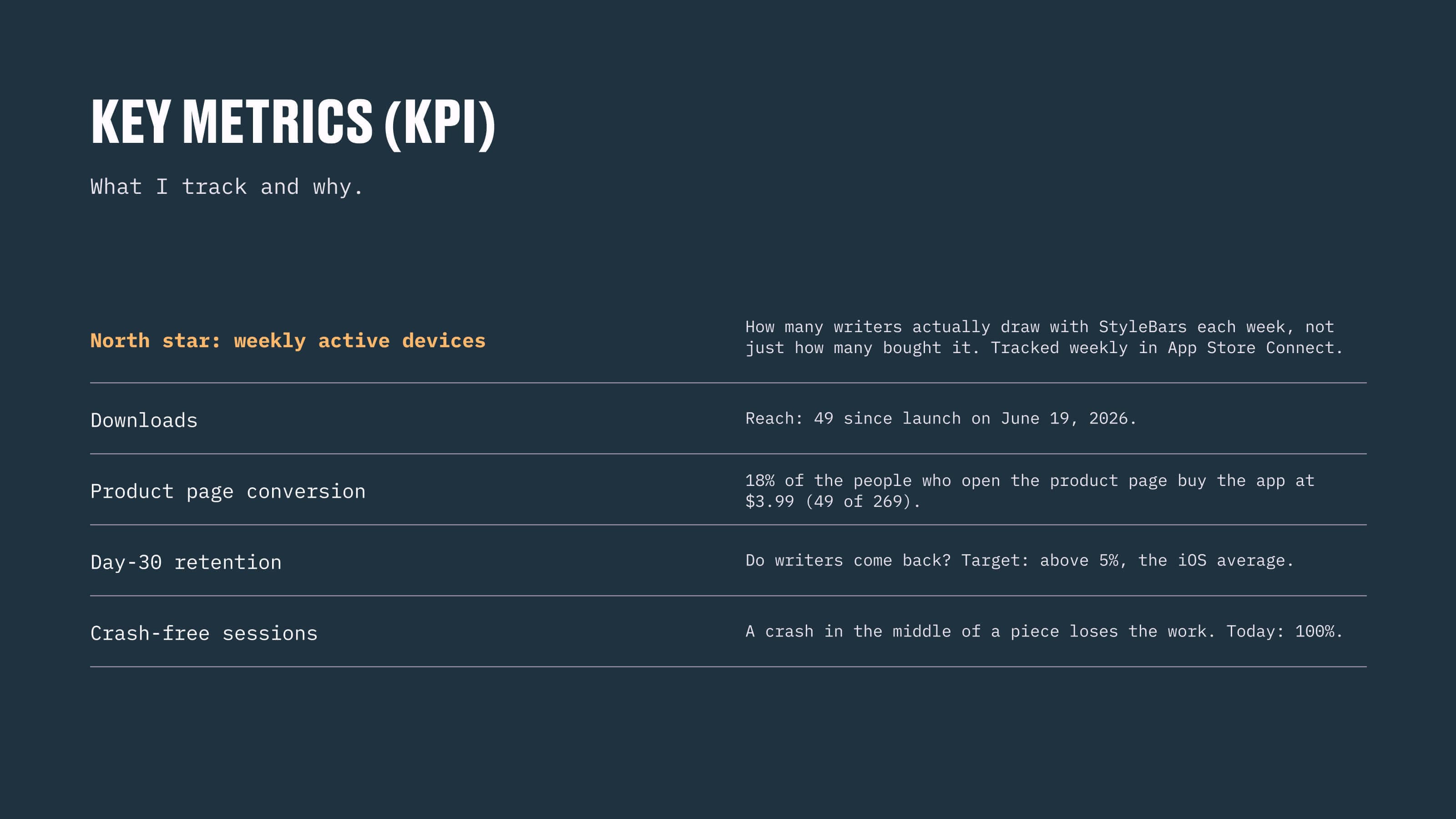
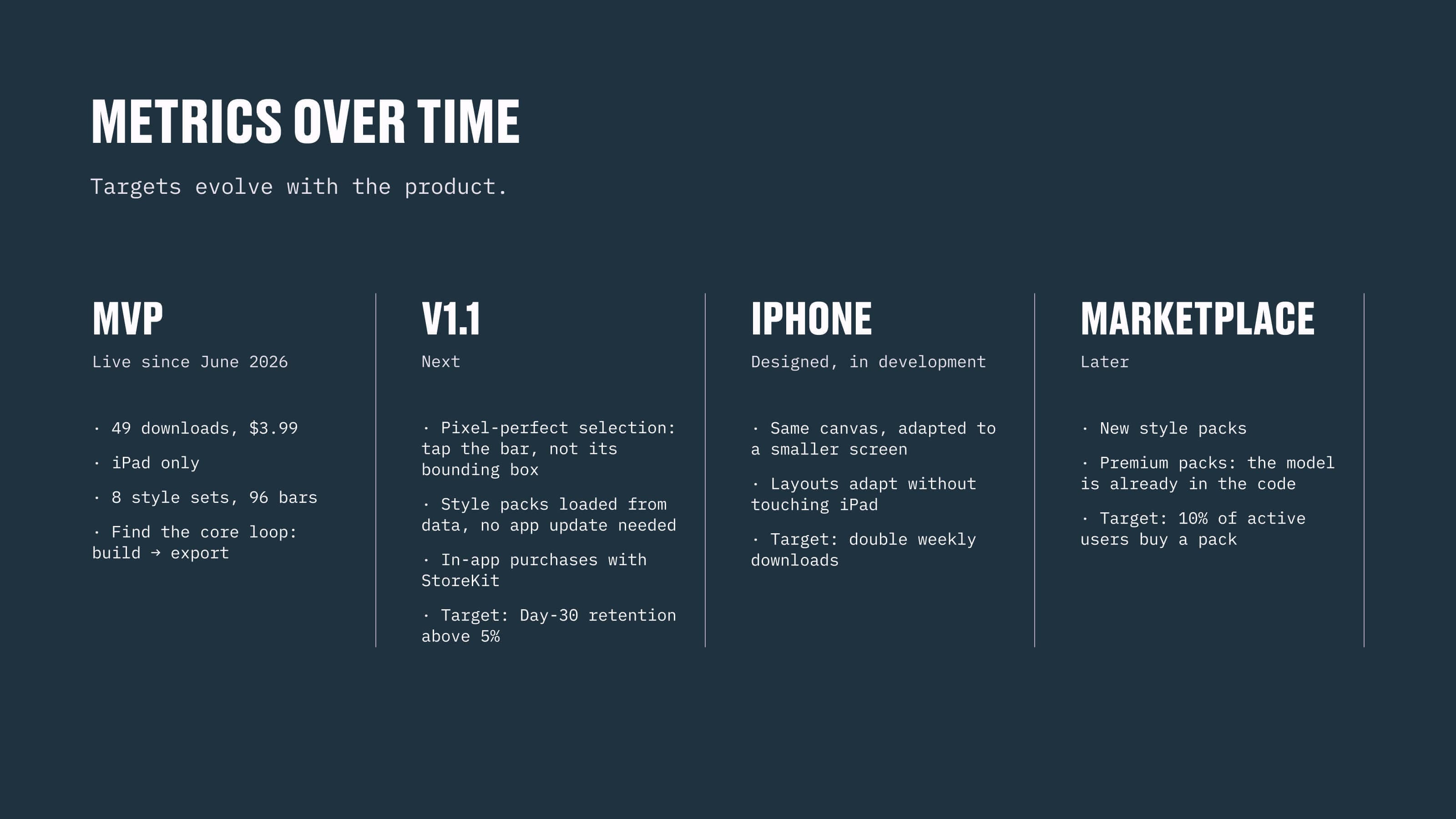
    I tested on device, prepared the listing and shipped through App Store Connect. Since launch I track a small set of metrics, with weekly active devices as the north star: a product doesn't end at launch, it's validated by numbers.

    The roadmap

    The next version brings pixel-perfect selection, style packs loaded from data and in-app purchases; the iPhone adaptation is designed and in development; a marketplace of style packs comes later, and its model is already in the code.
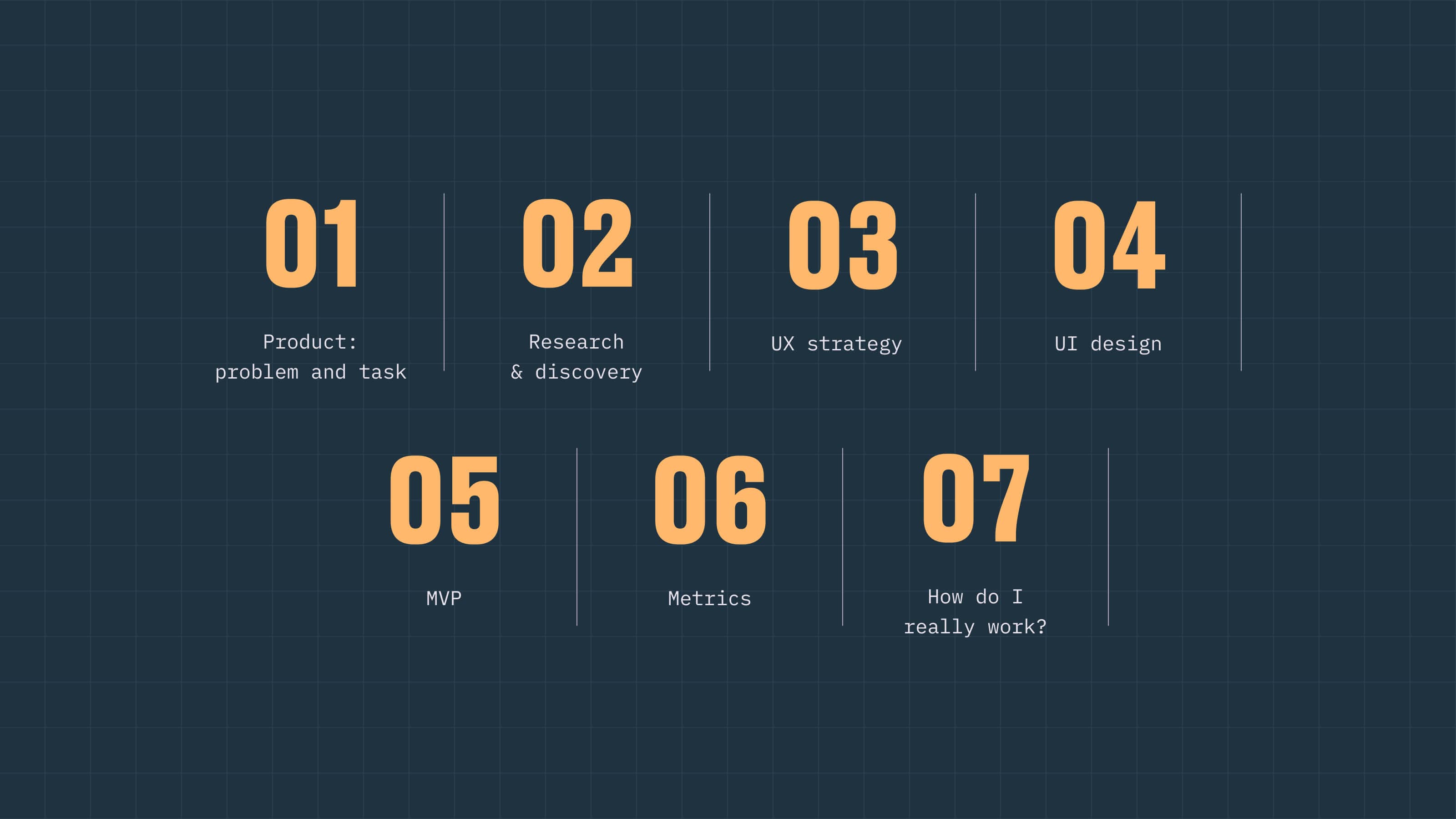
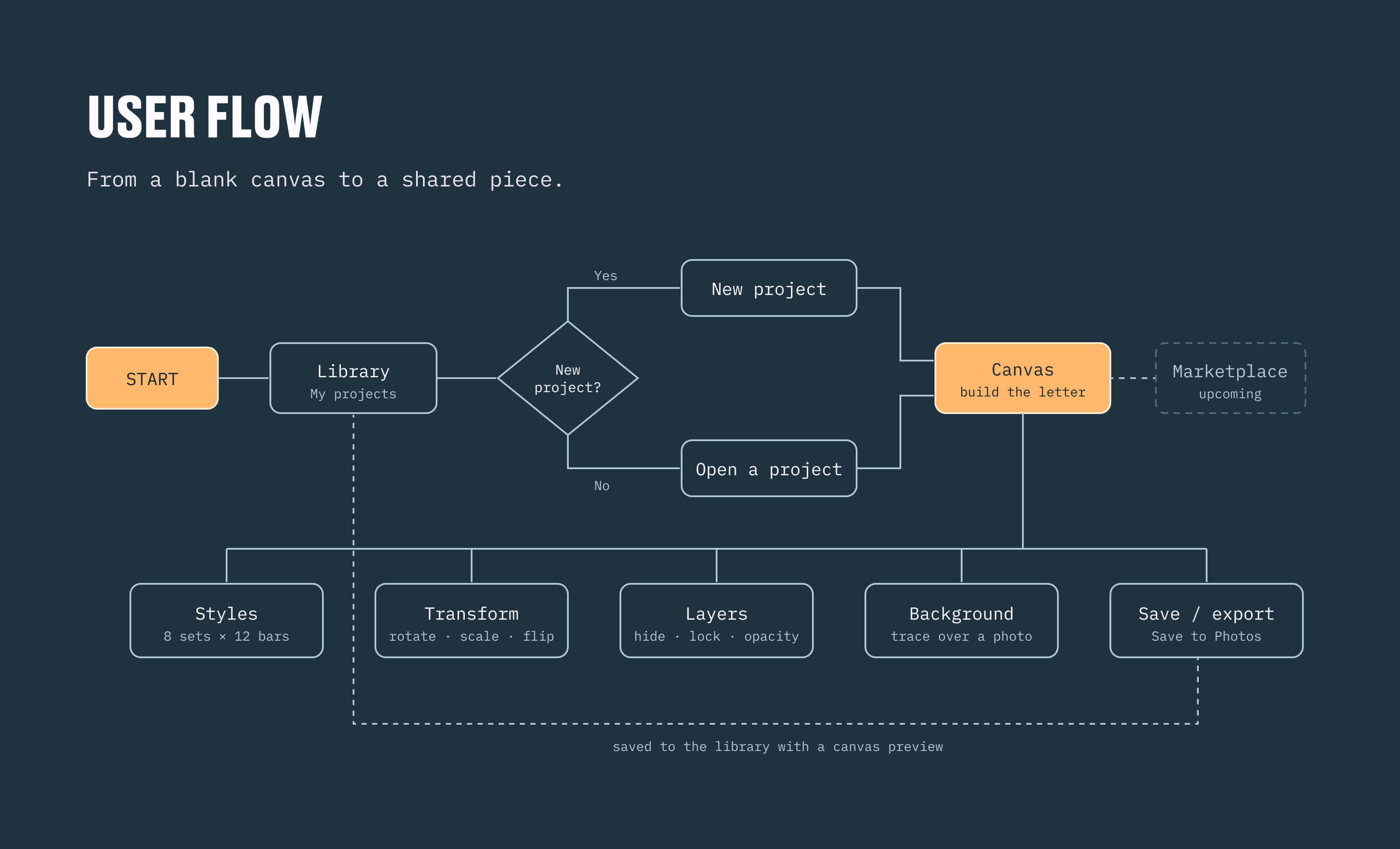
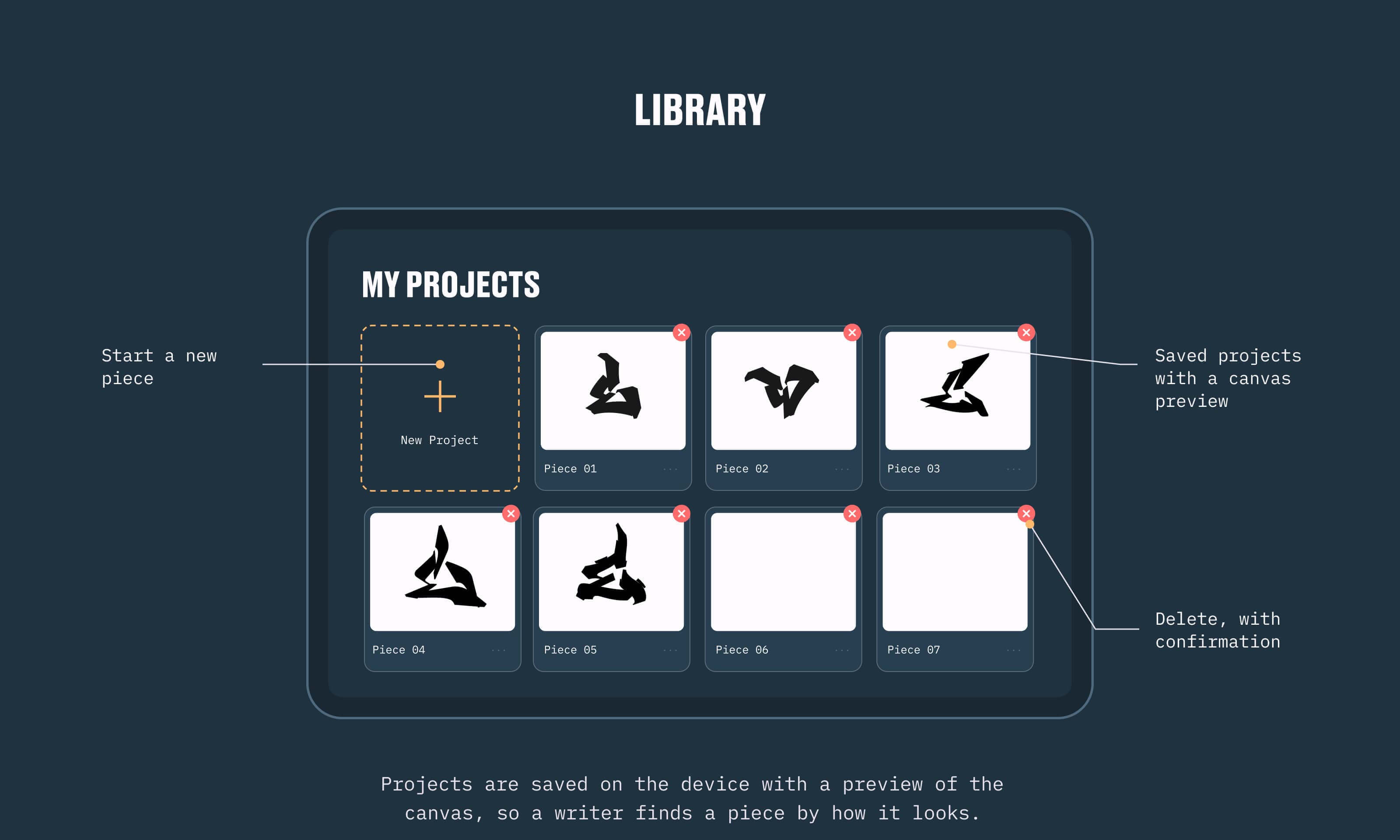
Case study index — the seven chapters of the StyleBars story: product, research, UX strategy, UI design, MVP, metrics, and how do I really workChapter 01, Product — pain, idea, direction: framing the problem before drawing a single barWhat StyleBars is and the problem it solves — graffiti letters built from editable vector bars, next to the iPad canvas with layers and stylesThe numbers behind the gap — 134M views on a YouTube graffiti tutorial, 31M on a Procreate lettering tutorial, and 0 of 50 top App Store results that build a letter from editable partsThe path to StyleBars in six steps — spot the gap, understand the writer, break the letter into bars, design the bar library, build it with AI, ship to the App StoreChapter 02, Research — people, patterns, product decisions: how writers sketch and where today's tools fall shortThree proto-personas — a beginner writer, a writer of twelve years and a tattoo artist, each with a goal, a confident trait and a hypothesis to validateCompetitor analysis — StyleBars against Procreate, Adobe Fresco and the paper blackbook on graffiti features, ready-made parts and editabilityChapter 03, UX strategy — insight, decision, flow: turning research findings into product decisionsResearch insights translated into product decisions — the bar as the basic unit, eight style sets of twelve, everything editable, trace over a photo, export in high resolutionUser flow from a blank canvas to a shared piece — library, new project, canvas, and the tool clusters: styles, transform, layers, background, save and exportChapter 04, UI design — concept, critique, redesign: the canvas designed for iPad first, then rethought for iPhoneFirst concept, iPad first — the V01 canvas and the four problems small screens exposed, from the overflowing top bar to bars spawning off-screenThe redesign and what improved — fluid top bar, responsive spawn point, collapsible side panel, scrollable tool bar, less noise on iPhone and layer lockFinal canvas screen, annotated — layers, the styles panel with eight sets of twelve bars, background photo controls, opacity, undo and export around the letterFinal library screen — saved pieces with canvas previews, a new project tile and delete with confirmationThe iPhone layout — canvas first, compact tool bar that scrolls in landscape, project name centered and the side panel folded into a notchChapter 05, MVP — design, code, App Store: turning the design into a working app, prompted and built in SwiftUIA real prompt next to what it produced — the design-system brief for the right panel and the resulting Swift files, 1,654 lines of SwiftUI for iPhone and iPadThe tech stack I prompted AI with — Swift and SwiftUI, Figma and the design system, Claude Code, Gemini and ChatGPT, Xcode, App Store Connect and TestFlightChapter 06, Metrics — north star, KPIs, targets: a product doesn't end at launch, it's validated by numbersThe metrics framework — weekly active devices as the north star, with downloads, product page conversion, day-30 retention and crash-free sessionsTargets evolving with the product — the MVP live since June 2026, V1.1 next, the iPhone adaptation designed and in development, the marketplace laterChapter 07, how do I really work — AI writes much of the code, the decisions are still mineThe honest split — what I did myself, from defining the product to drawing the 96 bars, and what AI helped with, from the SwiftUI code to the debuggingClosing slide — the StyleBars icon and wordmark, available today on the App Store, with the QR code and download badge
All projects