- Industry
- iOS, Retro Gaming
- Role
- Designer & Developer
- Year
- 2026
- Industry
- iOS, Retro Gaming
- Role
- Designer & Developer
- Year
- 2026
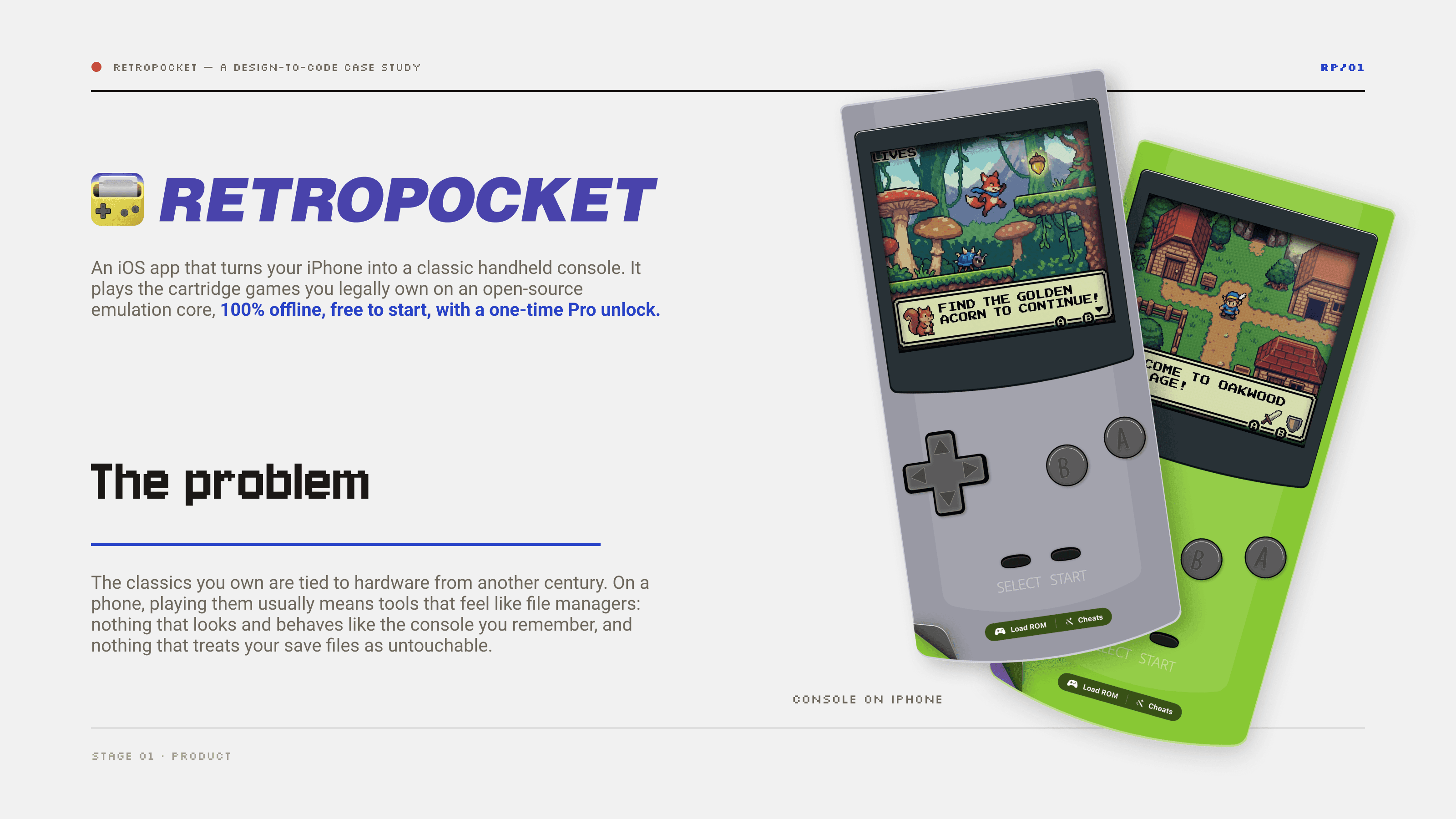
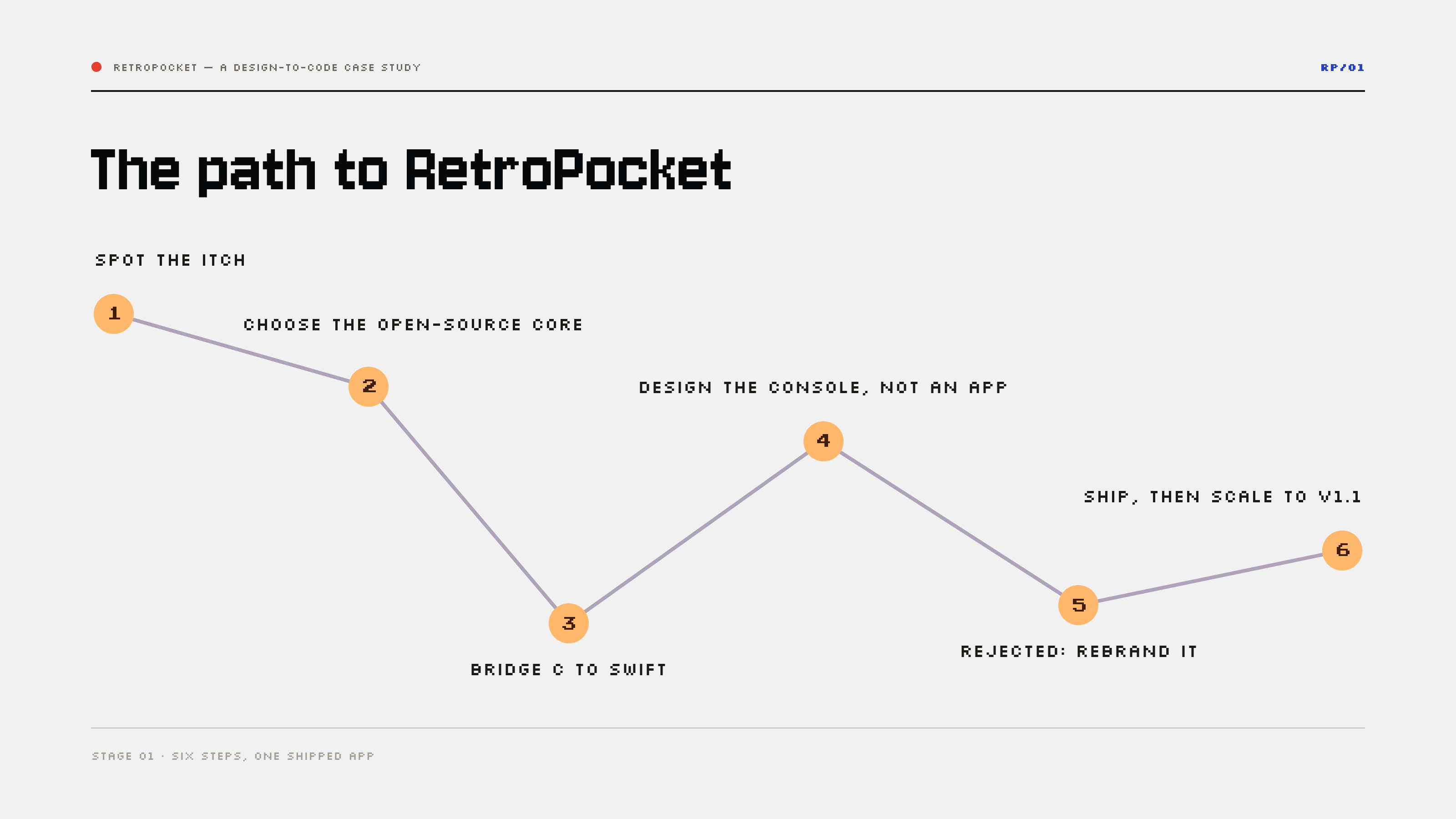
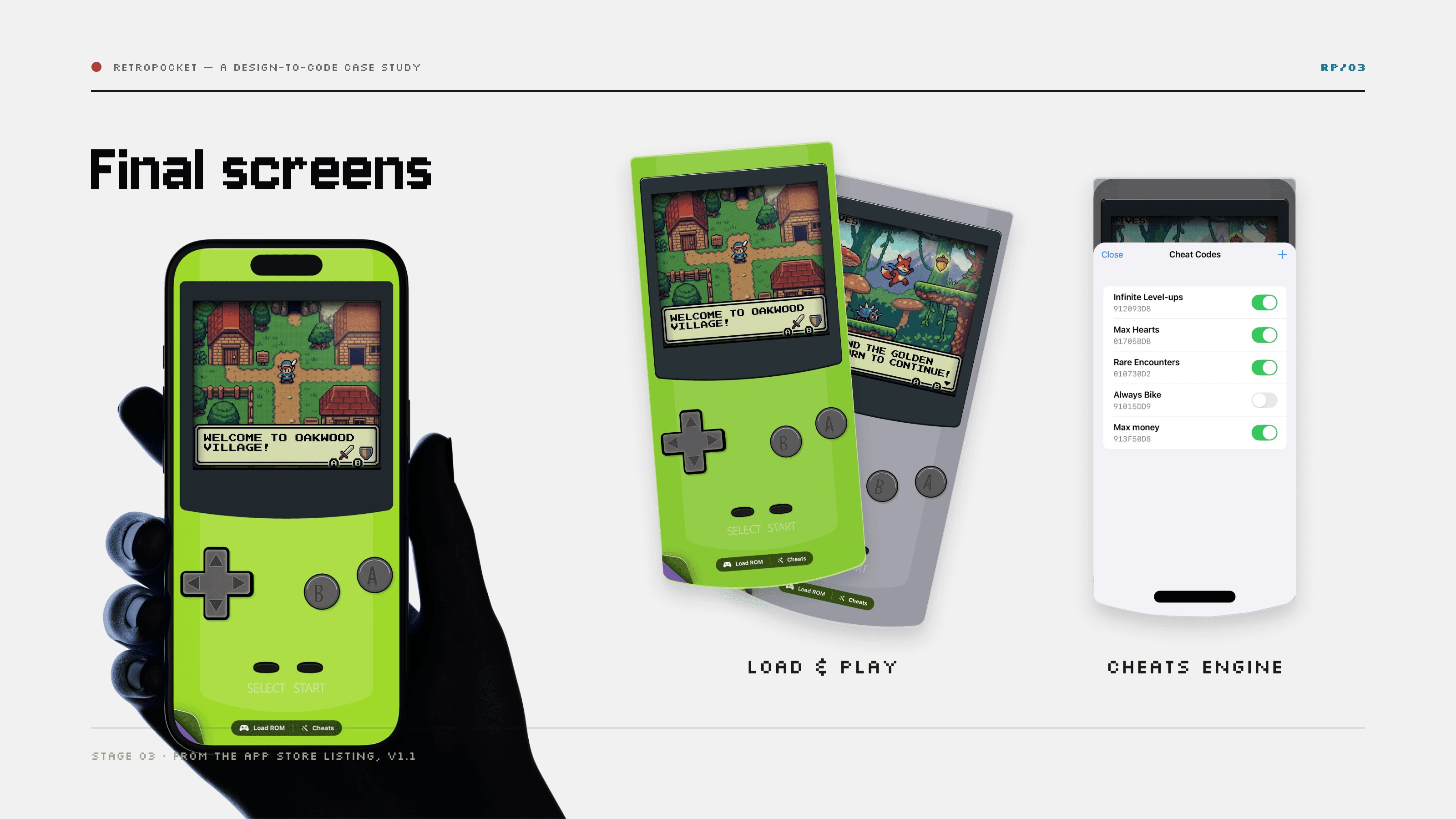
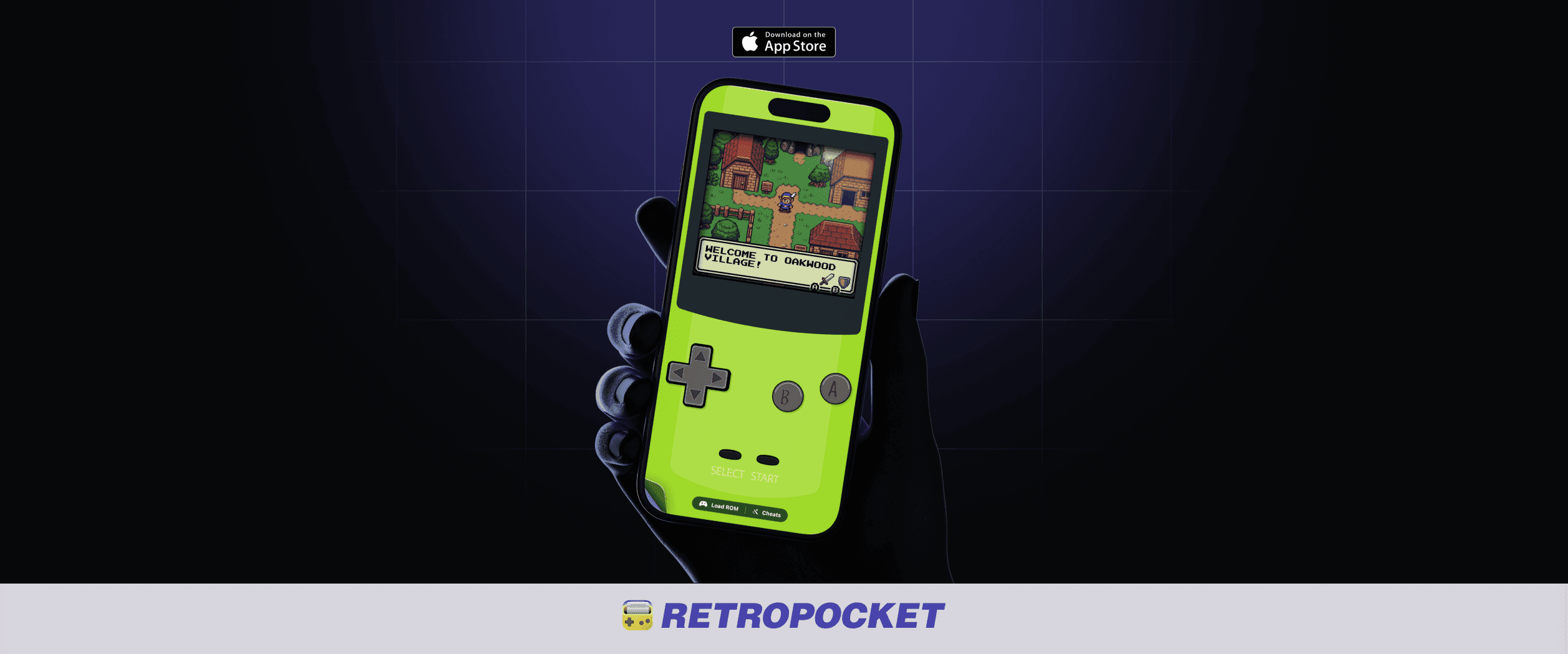
RetroPocket is my own product: an iOS app that turns your iPhone into a classic handheld console and plays the cartridge games you legally own, 100% offline. I built it on an open-source emulation core that I never edited, wrapped in Swift and prompted into shape with Claude Code. Apple rejected the first identity under Guideline 4.1(a), so I rebranded it from scratch and shipped it. It has been live since April 2026, free to start, with a one-time Pro unlock.
Before writing a single prompt, I framed the product like any other brief: who it's for, what hurts, and where the opportunity was.
The research
I studied how people play the classics they own and what existing tools get wrong: on a phone, emulation feels like a file manager, and nothing treats save files as untouchable. That insight became the product's north star — a console you hold, not an app you browse.
The strategy
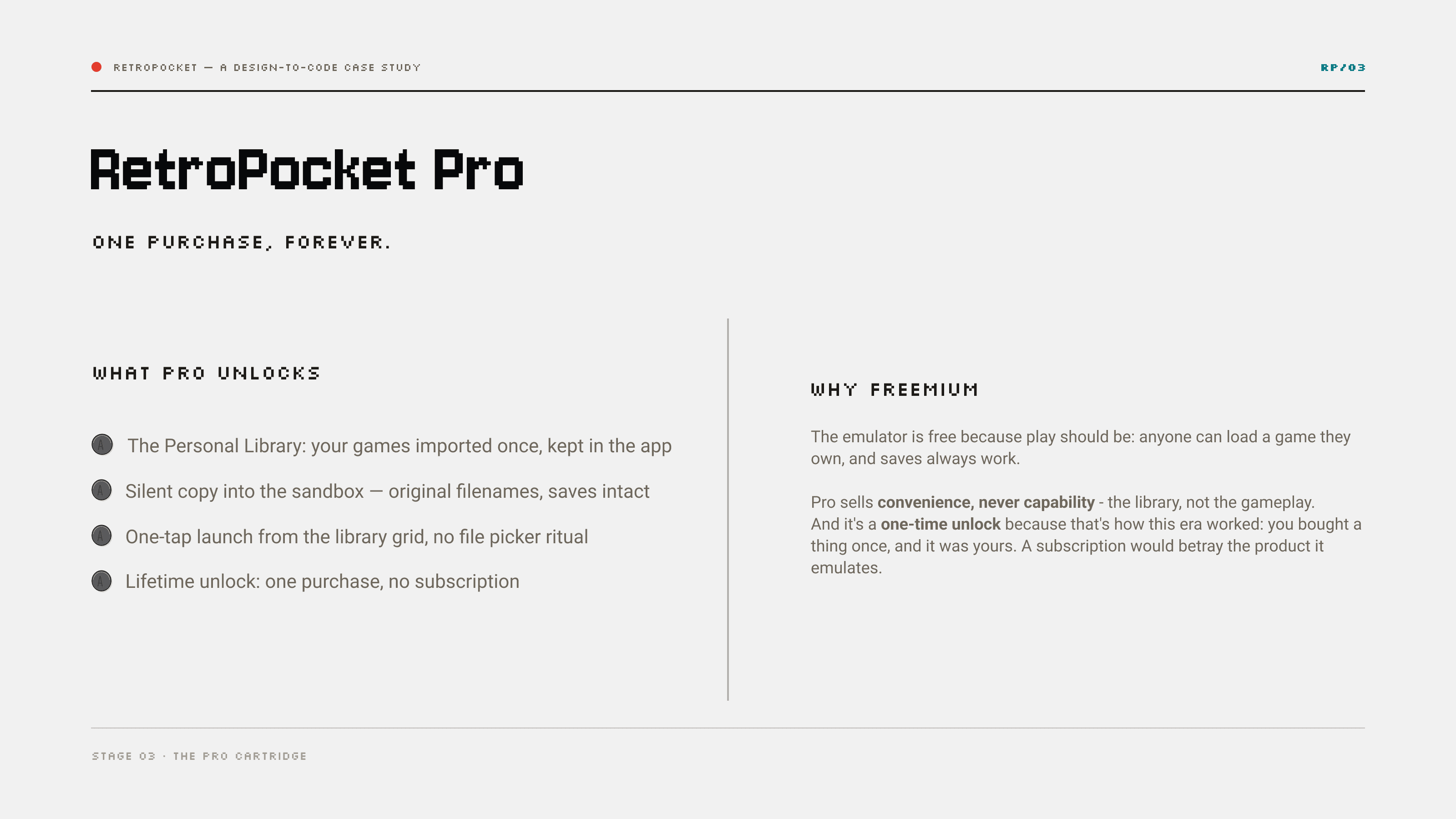
I chose an open-source emulation core instead of writing one — a build-versus-buy decision that let me spend my time on the experience, not the engine — and set the business model early: free to play, with a one-time Pro unlock that sells convenience, never capability.
Interaction design came before any code: a pixel-perfect handheld with flows measured in taps.
A console, not an app
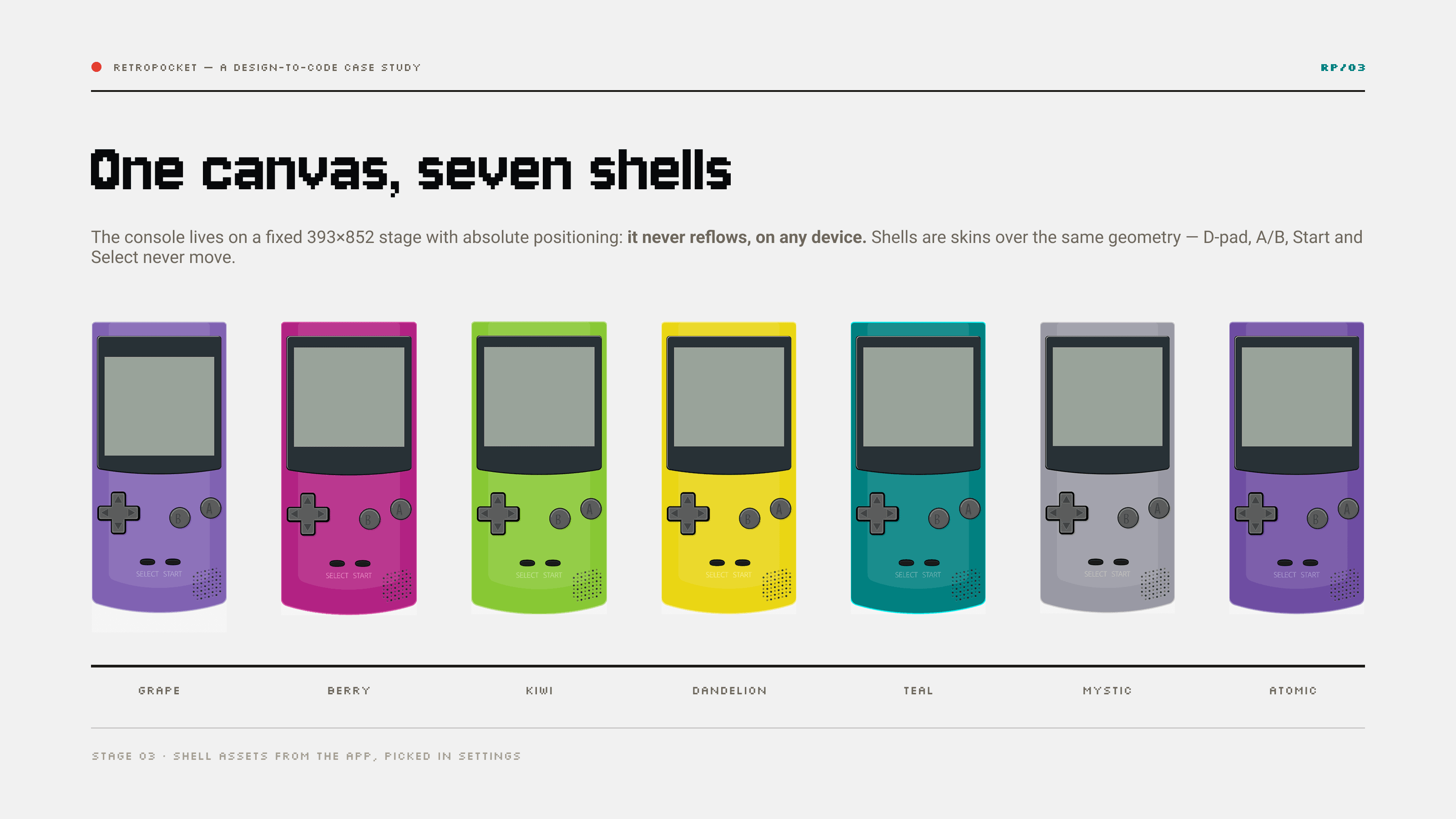
I designed the interface as hardware: a fixed 393×852 stage with absolute positioning so the console never reflows on any device, seven shells as skins over the same geometry — D-pad, A/B, Start and Select never move — and every action one tap away.
Flows and edge cases
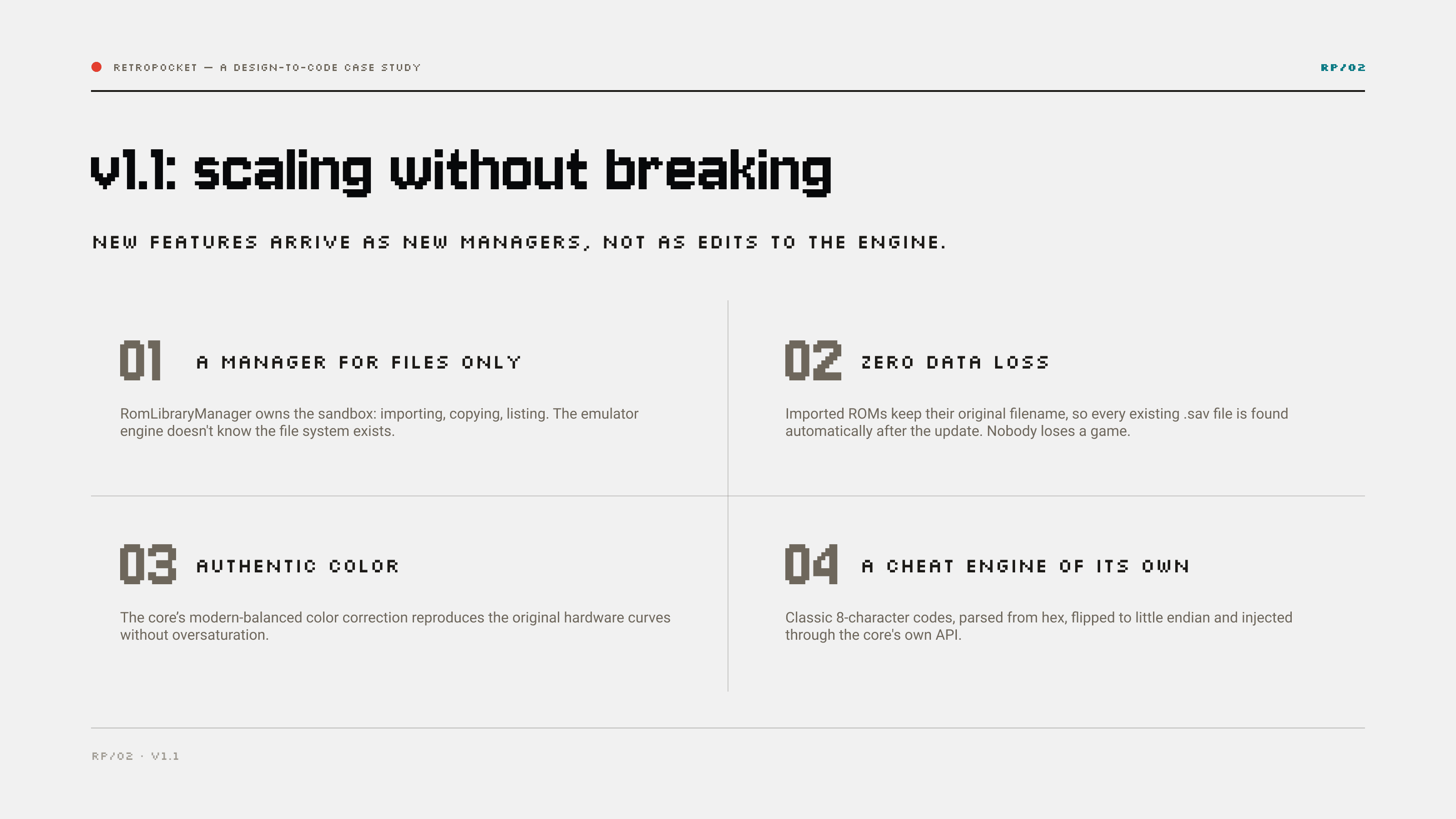
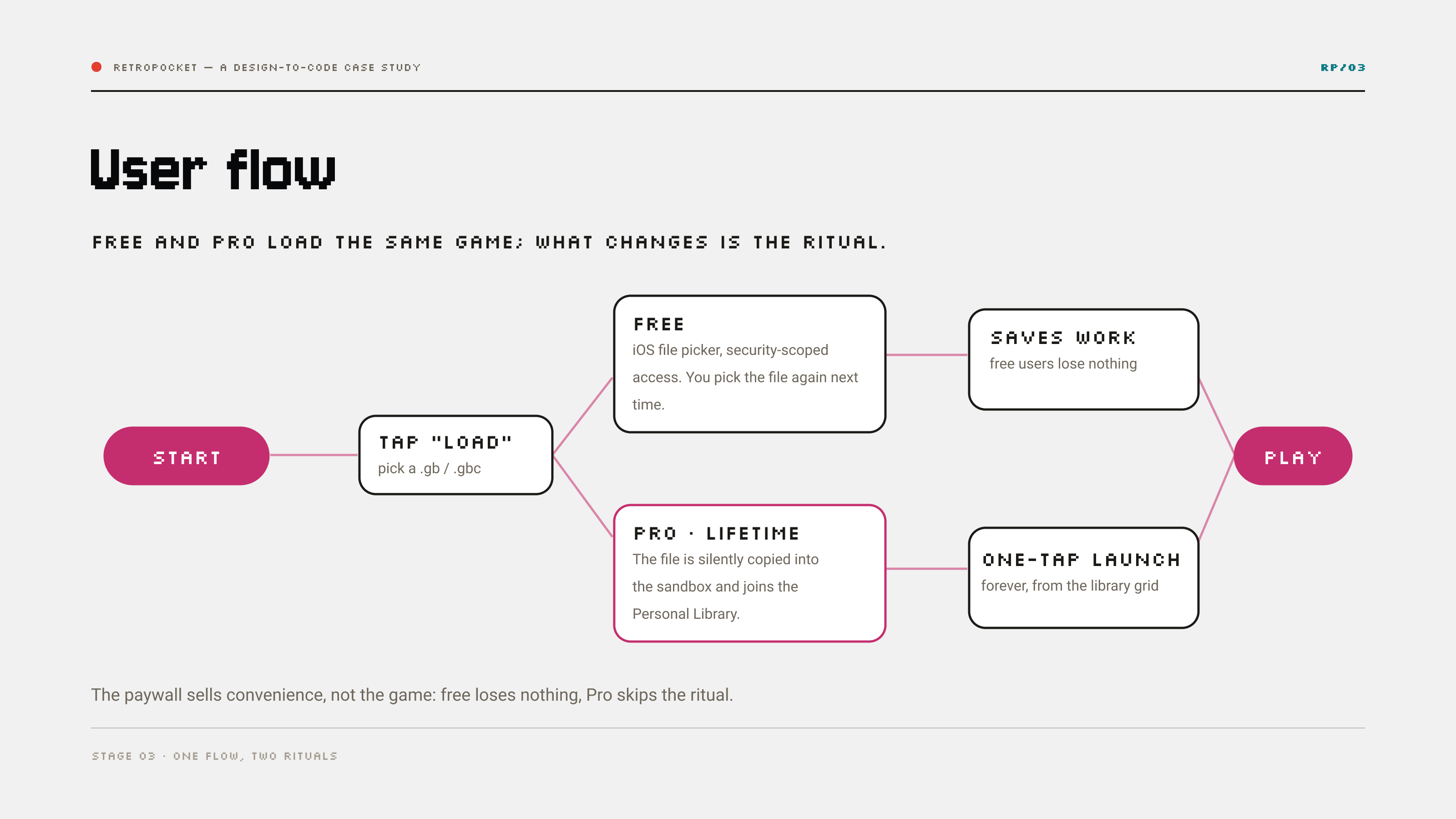
I mapped the free and the Pro journey side by side — same game, different ritual — down to the edge cases: imported games keep their original filename, so existing saves are found automatically and nobody loses a game, not even on update.
I briefed Claude Code the way I would brief a development team: design system, constraints and acceptance criteria — and kept every decision mine.
The brief is the craft
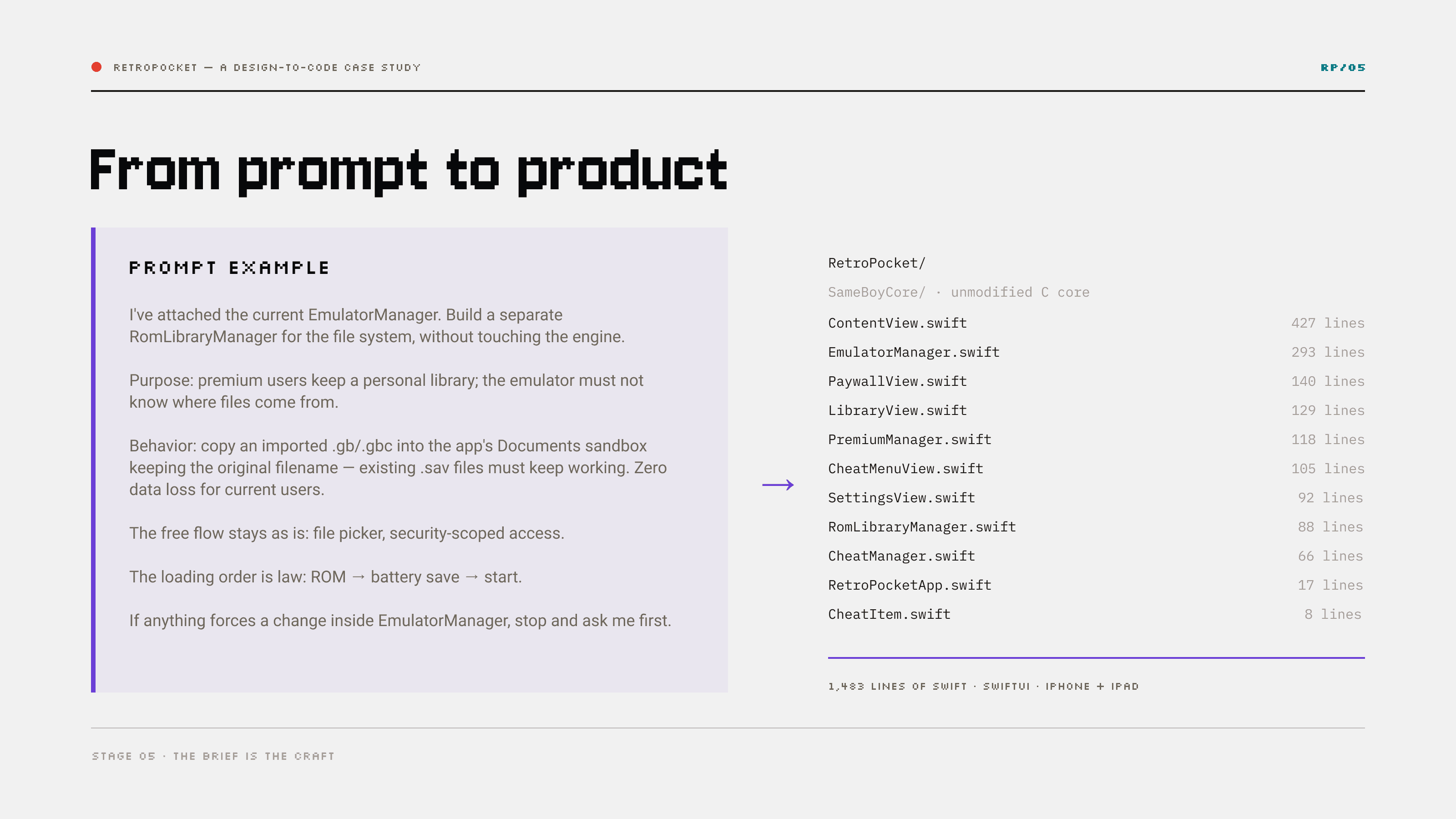
Each prompt carried the design and the rules of the build: use only my specs, never touch the open-source core, stop and ask before changing anything unclear. The whole app came out at 1,483 lines of Swift I could read, question and review.
The honest split
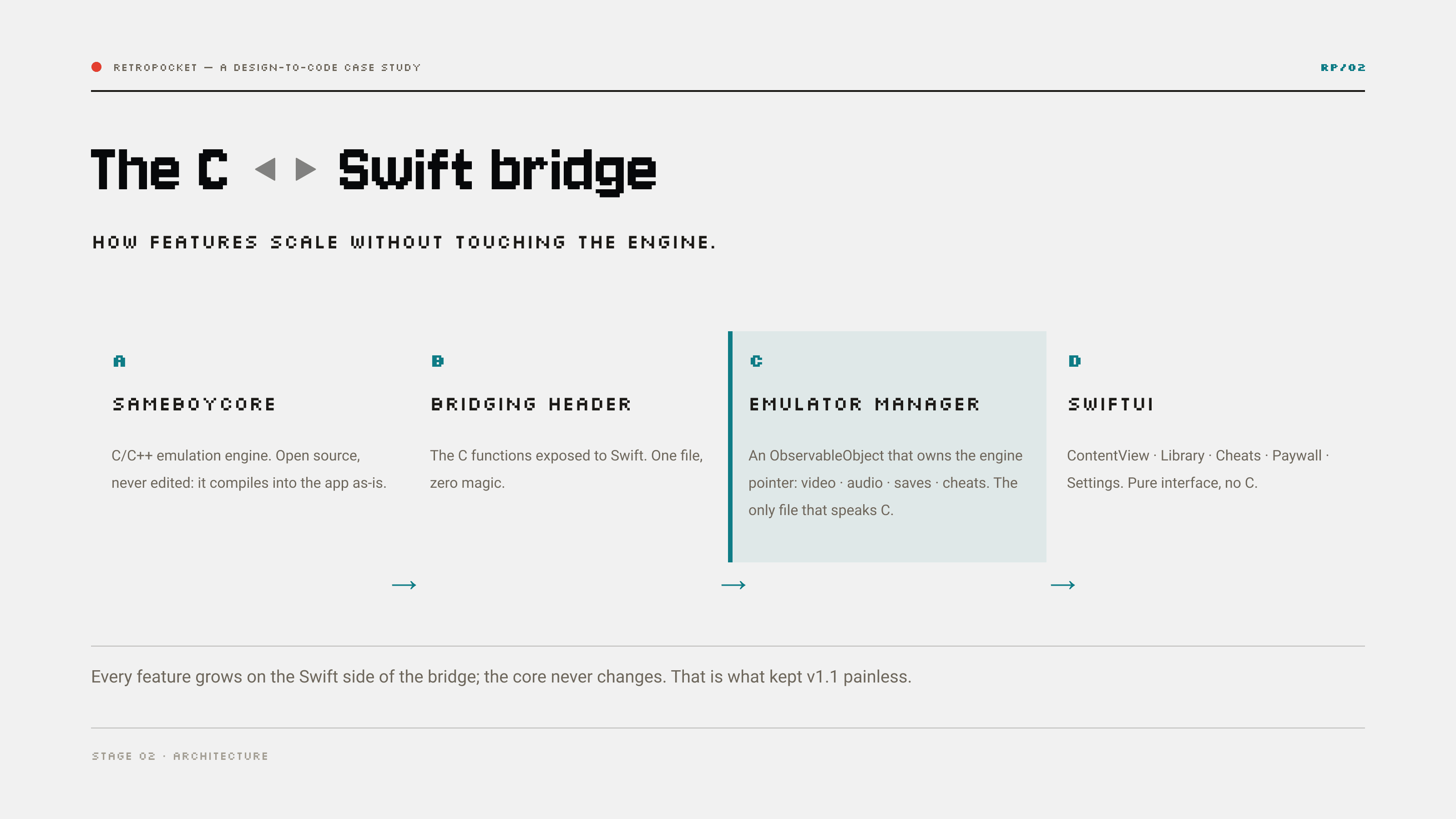
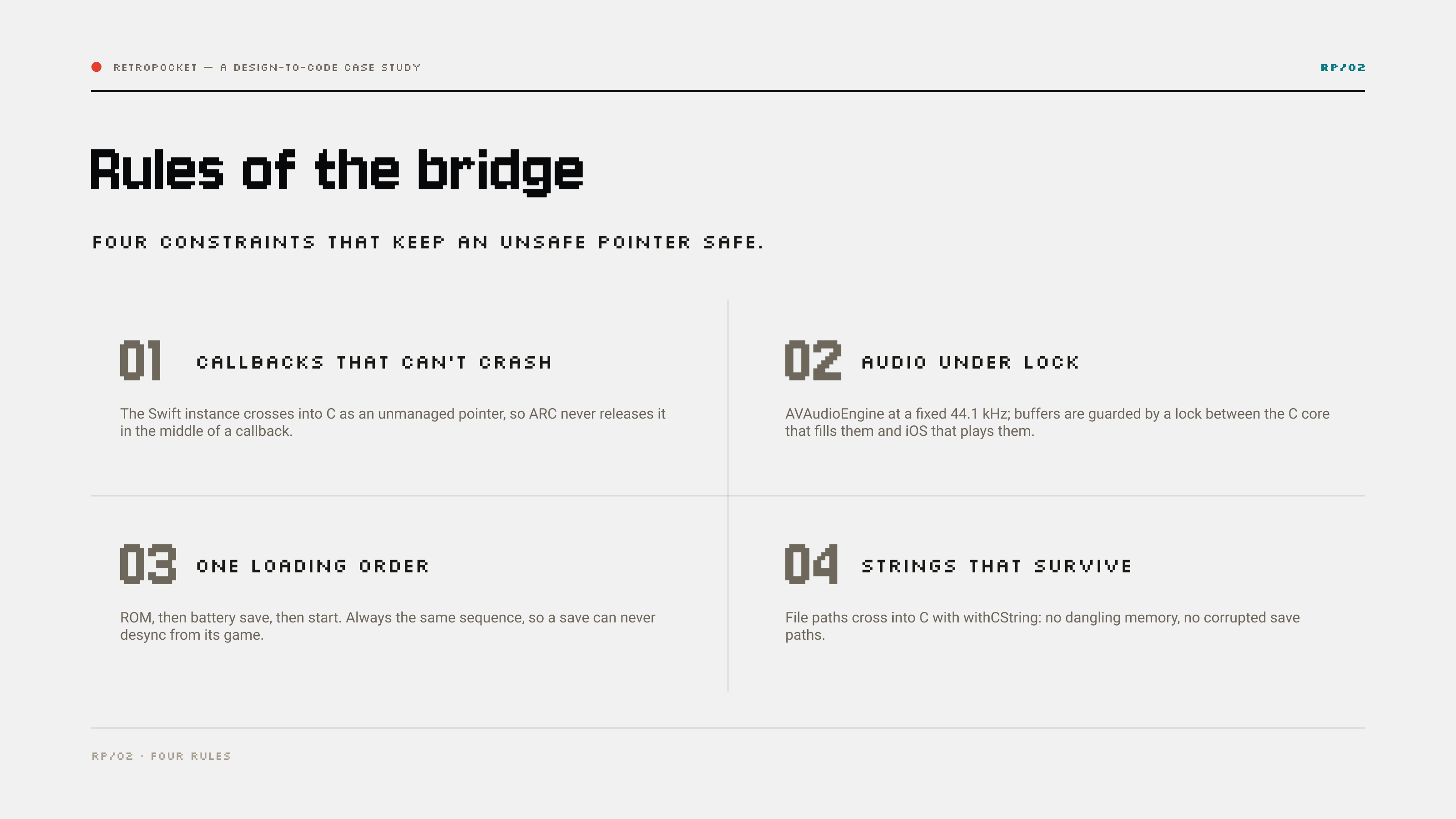
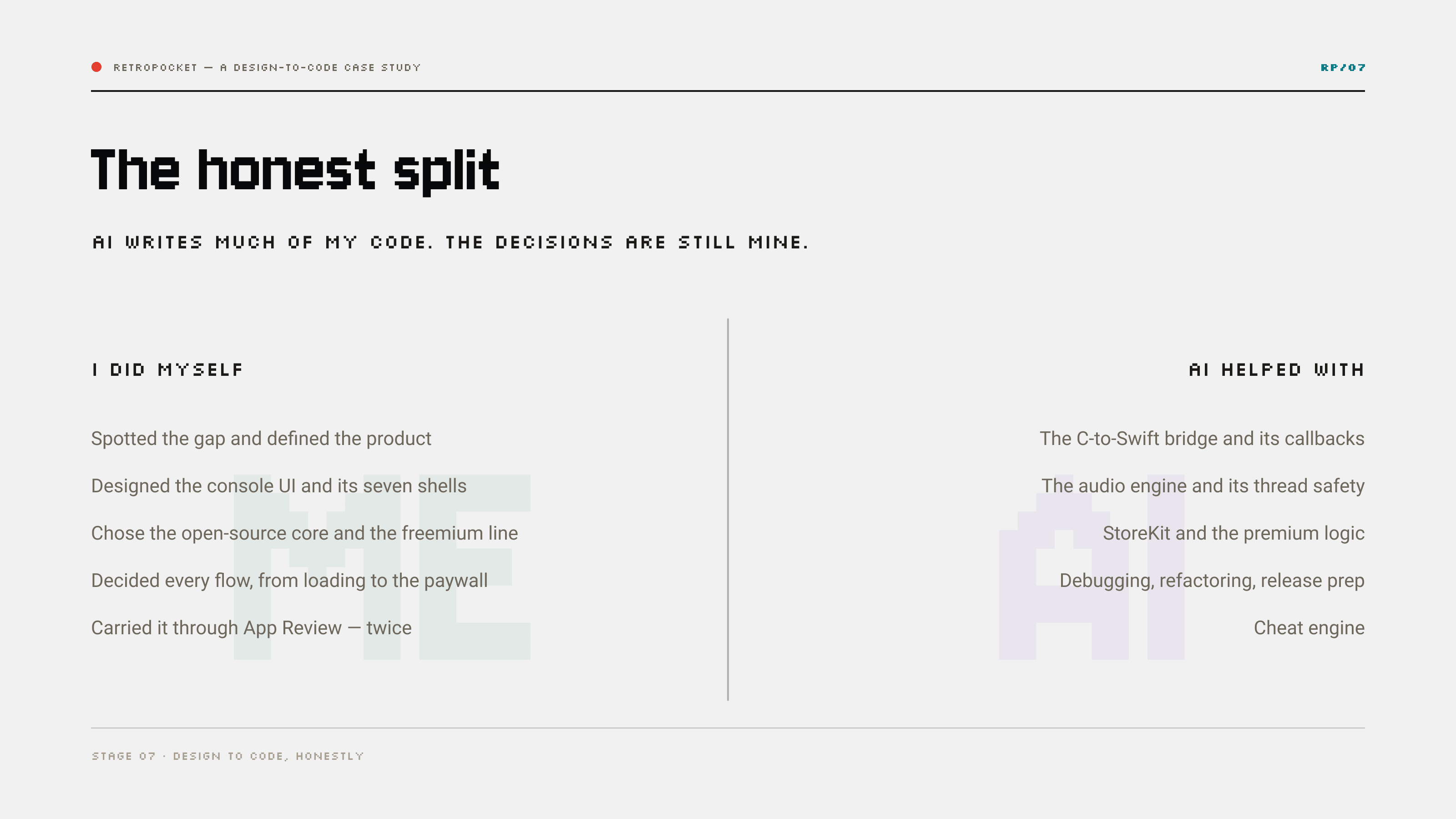
AI wrote the C-to-Swift bridge, the audio engine's thread safety and much of the code. I defined the product, designed every screen, decided every interaction and flow, and reviewed everything that shipped. The decisions were never delegated.
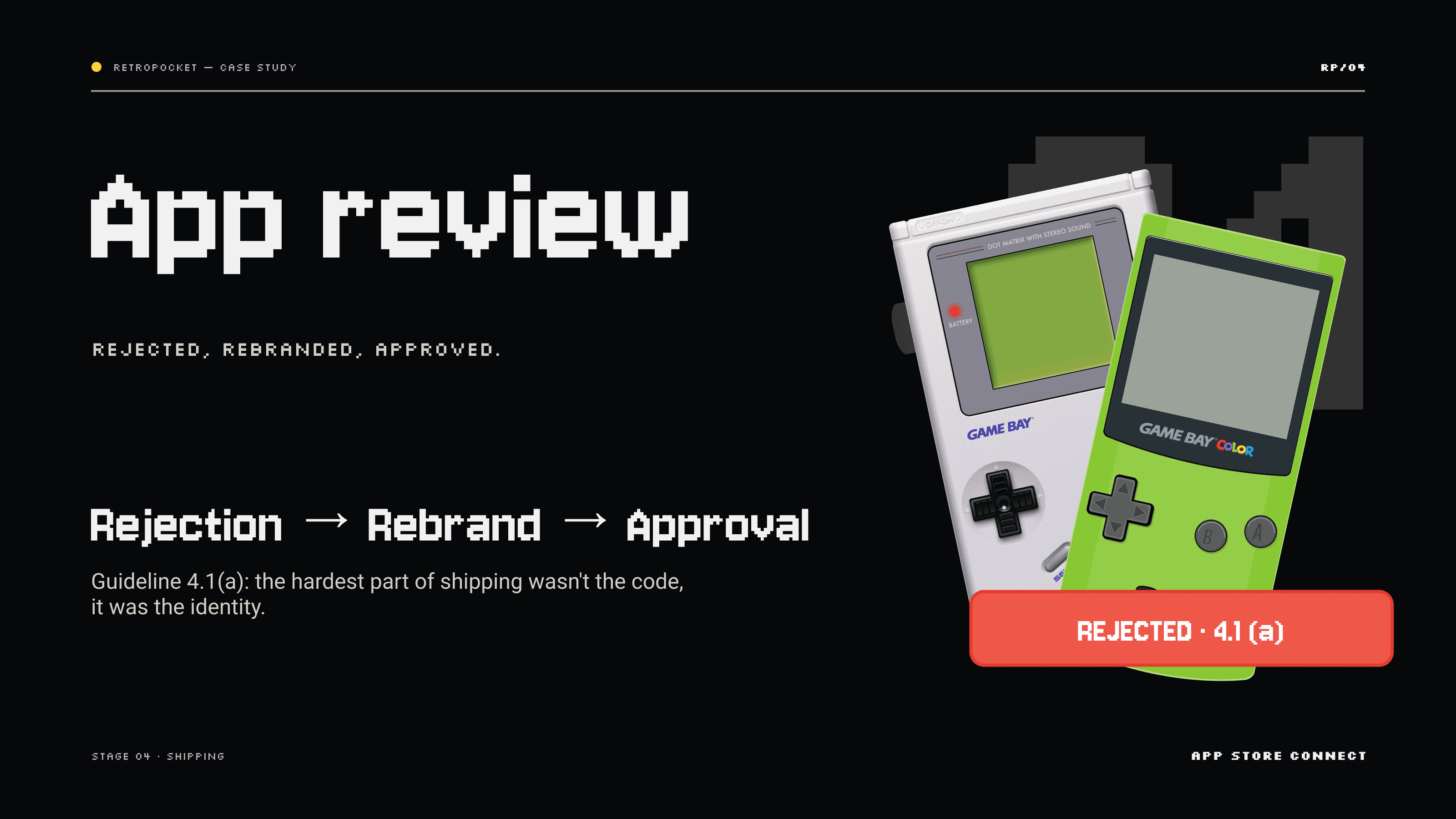
App Review rejected the first identity. I treated the rejection as a design brief and came back with a cleaner product.
Rejection as feedback
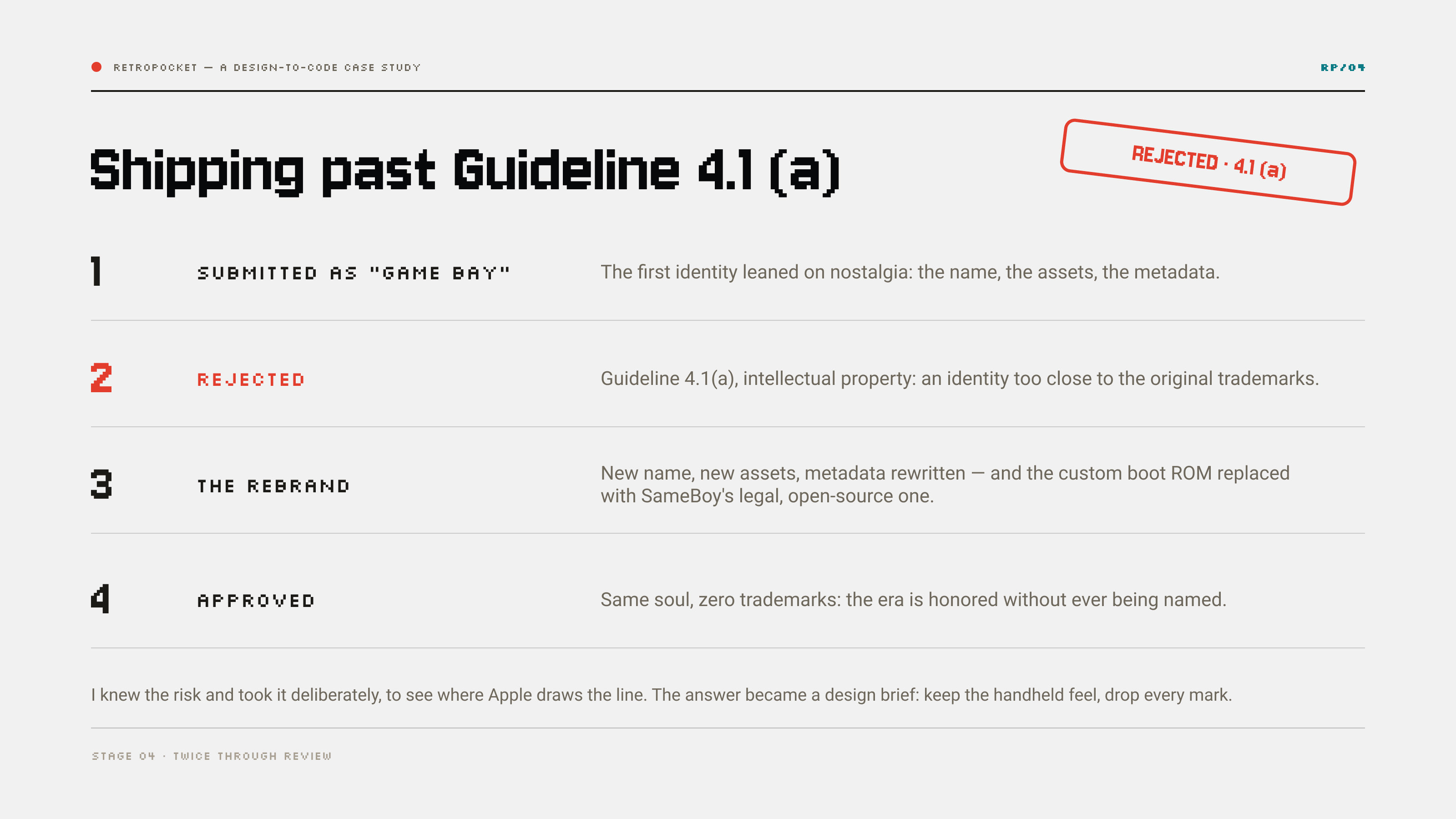
Guideline 4.1(a) stopped the first, nostalgia-heavy identity: too close to the original trademarks. I rebranded end to end — name, assets, metadata, a legal open-source boot ROM — keeping the handheld feel and dropping every mark. Approved.
Validated by numbers
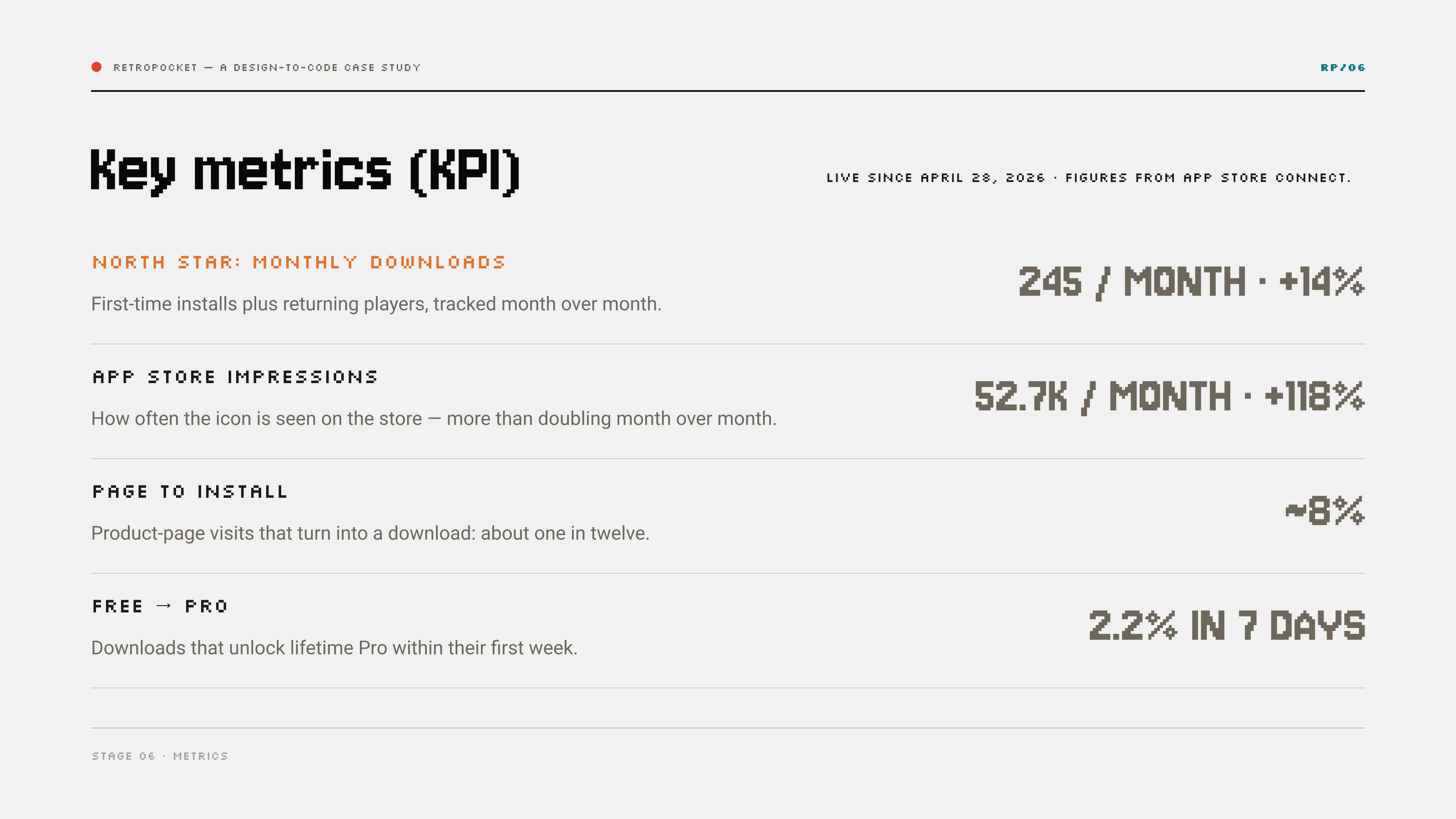
Live since April 2026, free with a one-time Pro unlock. Downloads grow about 14% month over month, store impressions more than doubled, roughly one product-page visit in twelve becomes an install, and 2.2% of downloads unlock Pro within their first week.